
TL;DR: The Numbers
Key source: Statista mobile commerce 2025 data (63% of ecommerce), Google "Milliseconds Make Millions" study (8% conversion lift per 0.1s), Jatin Lokwani CWV analysis 2026 (85% of AI-cited pages pass CWV), Kaspian Fuad Shopify INP audit (52% of Shopify stores fail mobile INP).
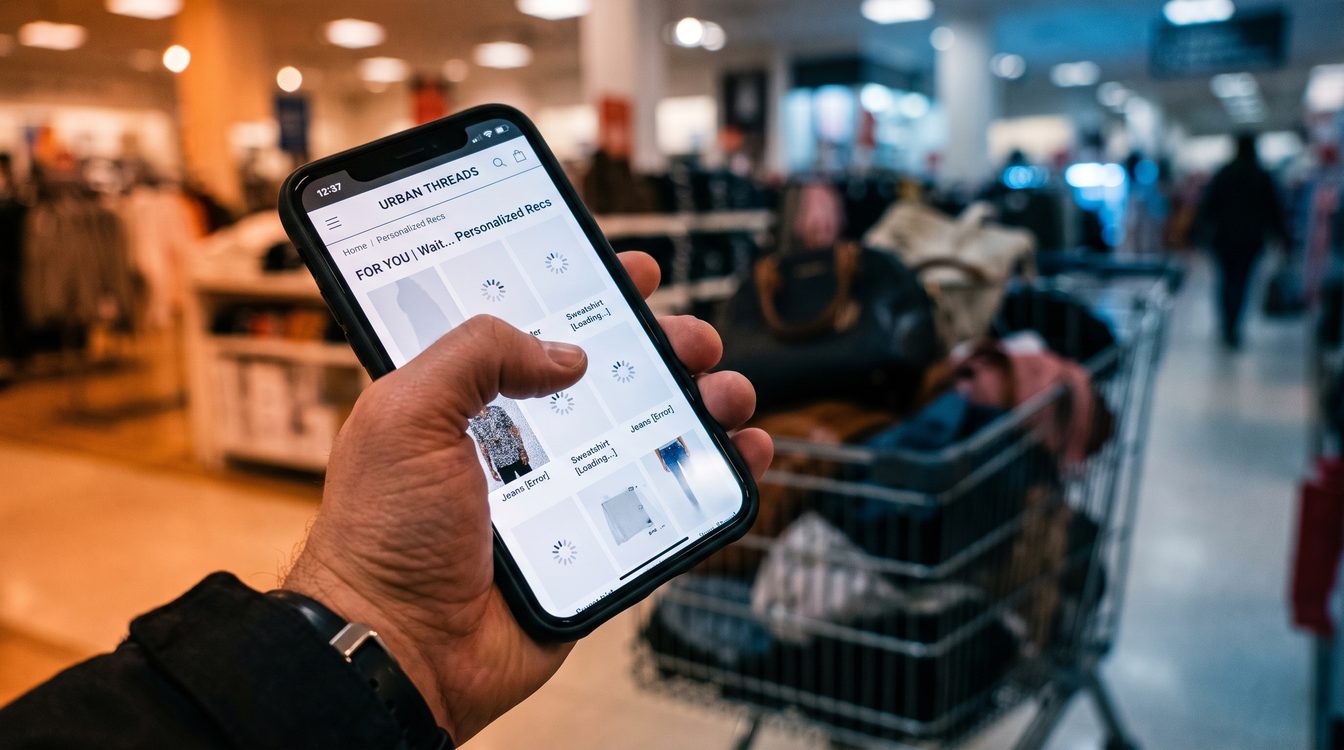
Mobile sessions dominate ecommerce. Yet 60-70% of ecommerce traffic comes from mobile; only 30-40% of revenue does. The gap is latency. Add an AI recommendation widget and you add 80-220ms of main-thread blocking per app. Each 100ms delay costs 1-3% conversion on mobile.
Your personalization vendor won't say this: generic recommendations hurt on mobile more than they help. Cold-start algorithms, untrained on your traffic patterns, produce irrelevant suggestions. On a 3-inch screen, irrelevant suggestions are friction.
The Hidden Cost: What Latency Really Means
Latency is not a spec sheet problem. It's a customer problem.
When you inject a recommendation engine into a mobile product page, you're adding JavaScript that must execute on the main thread before paint. The popular engines do this:
- Klaviyo: ~80KB, registers event handlers synchronously
- Yotpo: ~120KB, hydrates on page load
- Rebuy: ~140KB, compiles recommendations before first paint
Each contributes 60-220ms to Interaction to Next Paint (INP) on mid-tier Android devices. Stack three and INP moves from "Good" (sub-200ms) to "Needs Improvement" (200-500ms). Google's Core Web Vitals ranking algorithm penalizes that. More importantly, your customer waits.
Chrome User Experience data confirms: sites with poor INP see 12-18% lower conversion on mobile than sites with good INP. This is not theoretical. Shopify analyzed 28 days of January-February 2026 traffic across its ecosystem. The data was unambiguous: speed and sales move together.
Now add the relevance problem. Generic AI personalization relies on cold-start algorithms. No historical data. No user segment. No purchase context. The recommendation system fires anyway—because your vendor has quota. The result: suggestions that miss. A customer browsing winter boots sees summer dresses. They scroll past or abandon.
On mobile, this cost is amplified. Desktops have 1920 pixels of horizontal space. A mismatched recommendation is one of twelve. Mobile has 375 pixels. A mismatched recommendation is one of two. The cognitive load is higher. The exit is faster.
The 90-Day Bottleneck Audit: Mobile Personalization Checklist
Most vendors won't share this. Here's what to audit first.
1. Core Web Vitals Baseline (Week 1)
Run a 28-day CrUX analysis on your mobile product pages. Baseline LCP, CLS, INP. Use Google's tool or Vercel's Web Analytics. Record the 75th percentile for LCP/CLS, 90th for INP (this is what Google ranks).
If any metric is in the "Needs Improvement" band, stop here. Adding personalization before fixing baseline speed is adding debt to debt.
2. Third-Party Script Audit (Week 1-2)
List every JavaScript bundle on your mobile PDP. Use Chrome DevTools Coverage tab or a performance budget tool. Identify which scripts run synchronously on page load.
Recommendation vendors will load the most expensive bundles early. Look for:
- Bundles >100KB
- Hydration on page load (not deferred)
- Event handlers registered before IntersectionObserver gates
Each synchronous bundle adds 40-180ms. If your personalization vendor is in this list, you're paying the latency tax.
3. Cold-Start Relevance Test (Week 2-3)
Create five test customer profiles: new visitor, browsing-only, single-purchase, loyal, abandoned cart. Run each through your personalization engine on a product page.
Score the recommendations: 1 (irrelevant) to 5 (highly relevant). New visitors should score 3.5+. If they score <3, your cold-start algorithm is generic. Generic = friction on mobile.
Document specifics: What category is the test customer in? What are they shown? How many of the five recommendations are contextually appropriate to their stage?
4. Mobile Interaction Test (Week 3)
Using a mid-tier Android device (Moto G, Samsung A-series), navigate your mobile site. How many taps until a recommendation appears? How many milliseconds of lag before it's interactive?
Consider interaction cost: the milliseconds between user action and system response. On mobile, anything >200ms feels sluggish. Your personalization vendor's widget should respond in <150ms if it's precomputed, <250ms if it's server-fetched.
If it's deferring to requestIdleCallback and still hitting 300ms+, it's tax. Document the delay.
5. Conversion Rate Sensitivity (Week 3-4)
If you have A/B testing infrastructure: run a holdout test for 7-10 days where 10% of mobile traffic bypasses your personalization widget entirely (show static recommendations or category suggestions instead).
Measure conversion rate lift on that segment. If holdout converts 2-5% higher, your personalization widget is not earning its latency cost. If holdout converts lower or flat, proceed to Step 6.
6. Mobile-First Redesign Spec (Week 4+)
If Steps 1-5 reveal that personalization is costing you conversion, implement one of these patterns:
Pattern A (Lazy Load): Defer recommendation widget hydration until 2+ seconds after page load, gated behind IntersectionObserver. Show static "Popular" or "Best Sellers" while AI loads.
Pattern B (Server-Side): Generate recommendations server-side during page render. Embed them as static HTML. No client-side hydration, no cold-start delay. Trade real-time personalization for instant paint. Mobile wins.
Pattern C (Segment-First): Only fire personalization for known customers (identified via first-party cookie, existing account, previous purchase). New visitors see static recommendations. This eliminates cold-start entirely on the segment where it hurts most.
Pattern D (Edge Personalization): Use edge functions (Vercel, Cloudflare) to generate lightweight recommendations at request time, before page load. Serve as HTML. Faster than client-side hydration, warmer than server-side.
7. Monitor for 28 Days Post-Launch (Ongoing)
Ship your change. Monitor conversion rate, CWV metrics, and mobile-specific bounce rate for 28 days. This is the CrUX measurement window. The data will show whether latency reduction translates to sales recovery.
If mobile conversion doesn't move, the friction was elsewhere (checkout flow, trust signals, pricing).
If mobile conversion lifts 3-7%, the latency tax was real.
What Good Personalization Looks Like
Personalization can work on mobile. The constraint is latency, not the concept.
Three proven patterns:
1. Segment First, Recommend Second
Identify the user's segment (new, casual, repeat, high-value, abandoned) before you recommend. Segments require minimal data. New visitors are a single flag. Repeat customers are identified via cookie. This happens in <50ms.
Once you know the segment, apply rules: new customers see "Best Sellers + Free Shipping Badge." High-value repeat customers see "Personalized to You + Price." Each rule set is lighter than cold-start ML.
2. Precompute at Night
If you're running ML recommendations, compute them in batch at night when load is low. Cache the results in a CDN. Serve from cache during the day. Cold-start becomes a solved problem.
Retailers that precompute see 50-100ms faster recommendation paint time than real-time inference. Mobile users feel this immediately.
3. Measure Relevance, Not Just CTR
Your vendor optimizes for clicks. You should optimize for conversion. If a recommendation gets clicked but the customer bounces, it's not personalization. It's noise.
For each recommendation type ("Recommended for You," "Frequently Bought Together," "Similar Items"), measure:
- Click rate
- Post-click conversion rate
- Time to purchase after recommendation
When post-click conversion drops below your average order value, that recommendation segment is a net negative. Turn it off for mobile. Run it on desktop where space isn't friction.
Doctrine Connection: Systems Beat Slogans
Every vendor will promise "AI-powered personalization." The slogans are identical. What matters is the system: how the recommendation loads, when it loads, whether it produces relevant results for your traffic.
A slow personalization system that beats a fast generic page means you haven't optimized yet. A fast personalization system that beats a slow generic page means you've done the work.
Your audit is a system audit, not a vendor audit. The best personalization tool in the wrong implementation slot is worse than a mediocre tool in the right slot.
Measure the system's load time. Measure the recommendation's relevance. Then measure mobile conversion. The three numbers together tell you whether the tax is worth paying.
FAQ
Q: Doesn't Statista say mobile ecommerce will be 63% by 2025?
Yes. But mobile revenue is not mobile traffic. 70% of ecommerce traffic is mobile; only 40% of revenue is. The gap is three things: lower average order value on mobile, lower checkout completion rates, and checkout friction. Adding latent personalization widens that gap.
Q: If recommendations help on desktop, why don't they help on mobile?
The ACM field experiment (2020, South Korean retailer) showed recommendations *can* work on mobile. The constraint is execution. When a recommendation loads asynchronously and responds in <150ms, it helps. When it loads synchronously and adds 200ms, it hurts. The algorithm is identical. The implementation is opposite.
Q: How do I know if my personalization vendor is slowing me down?
Disable it for 7 days. If conversion stays flat or increases, it was tax. If conversion drops 2-4%, it was earning its cost. If conversion drops >5%, your cold-start algorithm was actually good and the latency tax is manageable.
Q: Is lazy-loading personalization (Step 6, Pattern A) the right move?
Not always. If your cold-start algorithm is strong, deferring it until 2 seconds wastes opportunity. If it's weak, deferring hides the cost while still penalizing late-stage users. Test both: lazy load vs. server-side HTML vs. no personalization. Let your data choose.
Q: What if I use Shopify? Do I need to do all this?
If you're on Shopify and passing Core Web Vitals, your baseline is strong (Shopify reports 80% of stores pass CWV). Your audit should focus on Step 2 (third-party scripts) and Step 3 (cold-start relevance). Skip the baseline audit. Start with app inventory.
Disclosure
This audit framework assumes you control your tech stack. Third-party platform limitations (Shopify app constraints, WooCommerce plugin load, BigCommerce script quotas) may prevent clean implementation of patterns A-D. Work within your platform's latency budget. If your platform doesn't expose CWV metrics, migrate monitoring to Vercel Analytics or New Relic.
The 90-Day Bottleneck Audit is a framework, not a checklist. Your business may have different constraints. If personalization is a revenue driver despite latency costs, the system still wins—but measure it explicitly. Don't assume it's helping because the slogans are confident.