
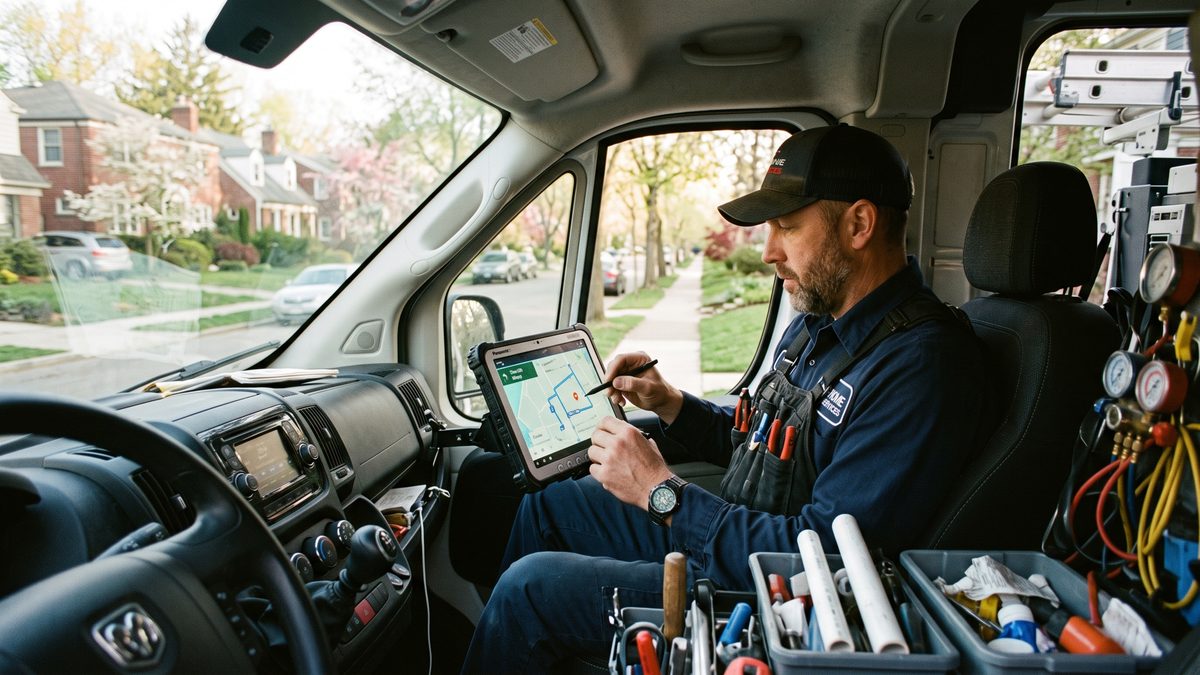
A homeowner's water heater blows at 9 PM on a Saturday. She doesn't call three plumbers and compare quotes. She calls the first one who picks up, tells her someone's coming, and gives her a time. ServiceTitan's research backs this: the first contractor to respond to an emergency call wins the job roughly 80% of the time. Not the cheapest. Not the best-reviewed. The first responder. If your dispatch process still runs through a human answering a phone, checking a whiteboard, and texting three techs to see who's closest, you're losing jobs you never even see on a missed-call report. This article walks through building an AI dispatch system (voice triage, technician matching, instant quote range, customer confirmation) in under 90 seconds per call, using GoHighLevel workflows, Twilio voice AI, and the Google Maps API. Setup runs about $2,000. Monthly cost runs about $200. Payback lands around six weeks.
The Casualty Drill Comparison
On a submarine, every casualty (flooding, fire, loss of propulsion) has a written procedure. When the alarm sounds, the crew doesn't huddle up and think. They execute the procedure, because it was built and drilled before the casualty happened. Nobody improvises at depth.
An emergency HVAC or plumbing call is a casualty drill for your business. The furnace dies at midnight in January. The sewer backs up during Sunday dinner. The AC quits on the hottest day of the year with a grandmother in the house. Most home service businesses at the $500K-$3M mark still respond to these by improvising: a dispatcher scrambling through a call board, texting techs one at a time, guessing at drive time, quoting a number off the top of their head.
That's not a process. That's hoping.
Process beats ego. The owner who thinks "I've got a good dispatcher, we're fine" is losing 20% of emergency calls to the guy down the road who picked up on ring two and had a tech en route before the homeowner hung up. You don't need a smarter dispatcher. You need a written procedure that runs itself.
What "Under 90 Seconds" Actually Means
The sequence an AI dispatch system executes, and roughly how long each step takes:
- Voice AI answers and triages urgency (15-20 seconds). The call is answered on ring one, every time, no exceptions, no lunch breaks. The AI asks two or three qualifying questions: what's the issue, is anyone in danger (gas smell, active flooding, no heat with kids in the house), how long it's been happening. Not a chatbot reading a script. A decision tree classifying the call as emergency, same-day, or scheduled.
- System checks technician availability and proximity (10-15 seconds). The moment urgency is classified, the system queries which techs are clocked in, which jobs they're on, and where they physically are via GPS. This is the Google Maps Distance Matrix API doing real-time drive-time calculation, not straight-line distance. A tech 12 miles away on a highway can beat one 4 miles away stuck behind a school bus.
- Instant quote range generated (10 seconds). Based on the issue category, the system pulls a pre-built pricing table and gives the customer a range: "typically $250 to $450 for this repair, final quote confirmed on-site." Not a lowball number to get the door open. A real range built from historical job costs.
- Confirmation sent with photo and ETA (15-20 seconds). The customer gets a text with the tech's name, photo, ETA, and a tracking link. This single step does more for close rate than almost anything else in the flow, because it kills the anxiety of "is anyone actually coming."
Add it up and you're at 60-90 seconds from ring to confirmed dispatch, with zero dispatcher involvement for the 70-80% of calls that don't need human judgment. The dispatcher handles genuine edge cases only: commercial accounts, disputed pricing, the customer who wants a person. That's the correct use of a human, judgment calls, not data entry.
The Sovereignty Stack: Own Your Dispatch, Don't Rent It
There's a version of this article where I tell you to buy a $500/month all-in-one dispatch SaaS product and call it done. Not doing that.
When you rent your dispatch logic from a platform, you don't own the workflow, don't own the customer data flow, and can't change the triage questions without opening a support ticket. That's a chain of command you don't control. This is the Sovereignty Stack principle: own the infrastructure touching your customer and your revenue, rent the commodity pieces underneath it.
What that split looks like in practice:
- Own: The workflow logic, triage decision tree, pricing tables, and customer communication sequence. Lives in GoHighLevel, which you control and can modify in an afternoon.
- Rent: The phone infrastructure (Twilio), mapping data (Google Maps API), SMS delivery. These are utilities. Nobody needs to own the phone company.
Same logic covered in how one HVAC company cut admin overhead 28% with three AI tools. The tools that stuck were the ones the owner controlled directly. The tools abandoned within six months were bundled into somebody else's black box.
Building It: GHL + Twilio Voice AI + Google Maps
Here's the actual build, piece by piece.
Step 1: Twilio Voice AI as the front door
Twilio's programmable voice combined with a conversational AI layer (Twilio's ConversationRelay or a connected LLM) answers the inbound call. Twilio Voice pricing runs roughly $0.0085 per minute for inbound calls in the U.S. per Twilio's published rate card, plus the AI model handling the conversation layer. For 40-60 emergency calls a month, that's single-digit dollars in raw call minutes.
The AI asks the triage questions and writes structured data (issue type, urgency flag, address, callback number) directly into a GHL contact record via webhook. Most operators skip this step, and it's the one that matters most. If the voice AI can't cleanly pass structured data into your CRM, everything downstream breaks.
Step 2: GHL workflow does the routing logic
Inside GoHighLevel, a workflow triggers the moment that webhook lands. It reads the urgency flag and job type, pulls a "technician roster" custom object with each tech's status (available, on-job, off-duty) and last GPS ping, fires an API call to Google Maps Distance Matrix for real drive time to the customer's address, then ranks techs by drive time and skill match (not every tech should get a gas leak call) and pushes the top match a notification.
GHL's native workflow builder handles the conditional logic: if emergency, notify the top two techs simultaneously and dispatch whoever accepts first; if scheduled, just book the calendar slot. This branching is why GHL beats a plain Zapier chain here. You need if/then logic, not linear steps.
Step 3: Quote range from a pricing table, not a guess
Build a simple lookup table in GHL (or a connected Google Sheet) mapping job categories to price ranges pulled from your last 12 months of actual invoices, your real numbers, not your rate card. "No heat, gas furnace" might run $180-$650 depending on the failure. The system quotes the range immediately in the confirmation text, pre-qualifying the customer against sticker shock and setting up the in-home quote as a confirmation rather than a negotiation.
Step 4: Confirmation text with photo and ETA
The moment a tech accepts the dispatch, GHL fires an SMS with the tech's name, a headshot (stored once, reused every time), live ETA from the Maps API, and a tracking link. Housecall Pro and Jobber both bake versions of this in because it reduces no-shows and cancellations. Customers who see a face and a countdown timer don't call your competitor while waiting.
The Real Cost Breakdown
Owners ask two questions about every AI build: cost, and payback. Here's the honest number.
| Item | One-Time Setup | Monthly Cost | Notes | |---|---|---|---| | GHL workflow build (triage, roster, pricing table) | $800-$1,200 | Included in GHL plan | Assumes existing GHL CRM | | Twilio voice AI (number + call handling) | $150 | $40-$70/mo | ~$0.0085/min inbound, 50-80 calls/mo | | Google Maps Distance Matrix API | $0 | $30-$50/mo | Free tier covers low volume | | SMS confirmation and tracking (GHL native) | $0 | Included in SMS bundle | ~$0.01-$0.02 per segment | | Testing, drilling, staff training | $600-$900 | N/A | Not optional, see below | | Total | ~$1,850-$2,250 | ~$150-$220/mo | |
Payback math: a dispatcher handling emergency intake, tech-matching, and manual quoting spends 8-12 minutes per call doing what this system does in 90 seconds. At $22/hour loaded labor and 50 emergency calls a month, that's 6.5-10 hours reclaimed monthly, roughly $150-$220 in labor savings, which alone covers the monthly run cost.
The bigger number is revenue. If the first responder wins 80% of emergency calls per ServiceTitan's data, and your manual process takes 4-6 minutes to confirm instead of 90 seconds, you're systematically losing the close to whoever answers faster. Recovering even 15-20% more emergency jobs at a $400-$600 average ticket for 50 calls a month is $3,000-$6,000 in monthly revenue that was walking to a competitor. Against a $2,000 setup cost, that's payback inside six weeks, often faster.
Why the Procedure Has to Be Written Down First
Most AI vendors won't tell you this: if your triage logic is fuzzy, the AI will be fuzzy. You cannot automate a decision process that doesn't exist in writing. Before you build a single workflow, write the procedure. What qualifies as a true emergency versus same-day versus scheduled? What danger-flag keywords skip the queue entirely (gas smell, active flood, no heat with an infant in the house)? What's your real price range per job category, from invoice history, not a hope-so number? Who's the backup dispatcher if the AI flags something it can't classify?
This is the same discipline covered in the 30-day plan for winning local visibility in Google's AI Mode: the businesses that win with AI tools had their fundamentals written down before they automated them. AI doesn't fix a broken process. It executes a broken process faster and at higher volume, which is worse, not better.
Drill It Before You Trust It
On a boat, you don't trust a procedure because it's written down. You trust it because you drilled it until it worked under pressure, then drilled it again after every casualty to fix what broke. Same rule here.
Run 20 test calls before it touches a real customer. Call your own emergency line, say strange things, try to break the triage logic, see what happens when a customer gives an address the Maps API can't parse. Fix what breaks. Then run it live for two weeks with a dispatcher shadowing every call, not intervening, just watching. Then, and only then, let it run solo.
Businesses that get burned by AI dispatch flipped it on without drilling first, got a bad triage decision on a real gas-smell call, and now don't trust the system at all. That's not an AI problem. That's a discipline problem. Process beats ego, and it also beats impatience.
Where This Fits If You're Building to Sell
If you're a $500K-$3M operator with half an eye on an eventual sale, dispatch automation is a valuation lever, not just an efficiency play. Buyers, especially PE-backed roll-ups, discount businesses entirely dependent on one or two irreplaceable dispatchers holding all the tribal knowledge in their heads. A documented, automated dispatch procedure proves the business runs on process, not a person. That's the operational maturity covered in the financial metrics PE buyers check before an LOI on a service business: response time and dispatch consistency show up in retention numbers, which show up in the multiple.
FAQ
Do I need to replace my dispatcher entirely? No. The system handles the 70-80% of calls that are routine. Your dispatcher handles the exceptions: disputed pricing, commercial accounts, the customer who insists on talking to a human. Better use of a skilled dispatcher's time than manually texting three techs to see who's free.
What if the voice AI misclassifies a real emergency as routine? Build danger-flag keywords into the triage logic and drill the system before going live. Any mention of gas smell, active flooding, smoke, or no-heat with vulnerable occupants should route to immediate escalation, ideally to a live human as backup. Test this scenario before trust goes live.
Can I build this without GoHighLevel? Yes, with other CRM platforms, but GHL's native conditional workflow builder plus built-in SMS and calendar functions make it faster to stand up without stitching together five separate tools. If you're already running GHL, the marginal build cost is mostly Twilio and Maps API integration.
How accurate does the instant quote range need to be? Built from real invoice history, not a marketing number. The goal isn't to nail the exact price on the phone, it's to prevent sticker shock and set an honest expectation before the tech arrives. A range that's consistently wrong damages trust faster than no quote at all.
What's the biggest reason these builds fail? Skipping the written procedure step. Owners jump to buying tools before defining their triage rules, price ranges, and escalation paths on paper. The AI can only execute a procedure that already exists. If it's fuzzy or lives only in a dispatcher's head, the automation will be fuzzy too.
Process beats ego. Write the procedure, drill it, then let the system run it faster than any human could.
*Jeff Barnes is the founder of demg.ai and Digital Evolution Marketing Group. He has no personal financial position in any company, tool, or platform named in this article unless explicitly stated. demg.ai provides marketing education and systems for owner-operators, not investment advice. All business outcomes described are illustrative and not guaranteed. Your results depend on your execution.*