
TL;DR: Ecom brands doing \\$500K-\\$3M in revenue typically pay \\$200-\\$500 per SKU for professional product photography, according to the 2026 Product Photography Cost Benchmark, which audited 47 enterprise contracts and found traditional studio rates ranging from \\$48/SKU for basic apparel to \\$215/SKU for furniture (Advertflair, 2026). AI tools now produce catalog-quality white background, lifestyle, and comparison shots for \\$5-\\$50 per SKU. This is not a replacement for your hero shoot. It is a fix for the 80% of your catalog that never needed one.
Here's the math that got ignored for a decade. You have 40 SKUs. A photography studio quotes \\$250 per SKU, all in: shoot day, retouching, background cleanup. That's \\$10,000 for one product update, twice a year, before you've touched a single lifestyle shot for social ads.
Most operators at this revenue band never had that budget, so they skip the refresh or stretch one contractor shoot across every launch that follows. Both choices cost conversion rate. Amazon buyers and Shopify shoppers decide in about two seconds whether an image looks legitimate, and a supplier-stock photo next to five hand-shot competitors reads as cheap.
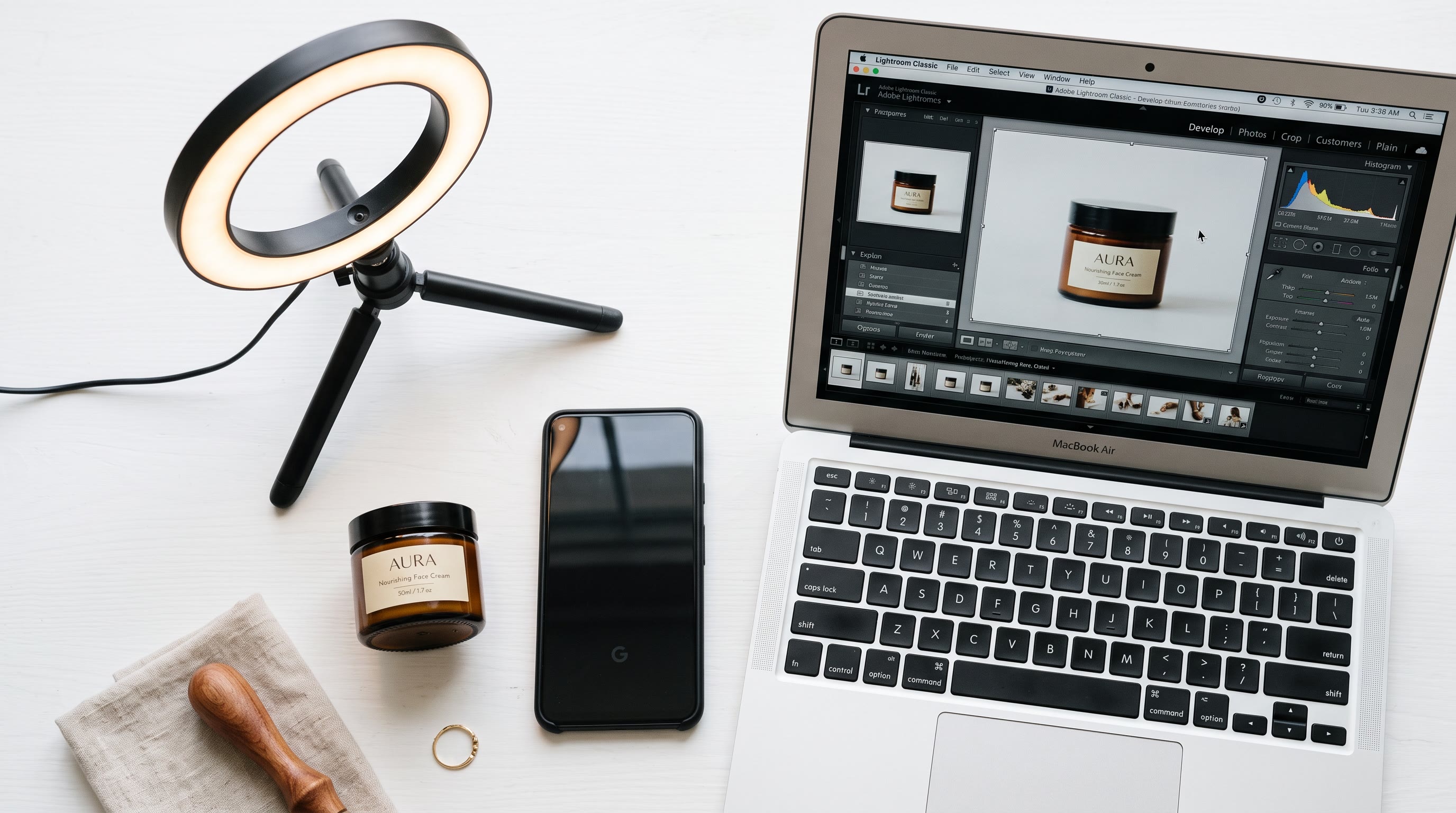
I've watched this bottleneck kill launch velocity at DEMG while building visual content systems for ecom clients who wanted to ship 15 new SKUs a month on a photography budget built for four. The fix wasn't a bigger budget. It was a pipeline: phone capture, AI background removal, AI lifestyle generation, batch resize for each platform's spec sheet. That pipeline is what this piece walks through.
The 80/20 split nobody talks about
Every catalog has two tiers of image need. Tier one is your hero SKUs: the 10-20% of products driving most of your revenue, where a real photographer and real art direction are worth every dollar. Tier two is everything else: seasonal variants, color options, bundle SKUs, the long tail that needs to look clean on a PDP page but isn't carrying your brand story.
Most operators spend studio-tier dollars on tier-two products because that's the only workflow they have. A 2026 audit of 47 enterprise photography contracts found the photographer's day rate is only about 18% of an all-in shoot cost. The other 82% is studio rental (22%), retouching (15%), sample logistics (12%), stylist and prop work (9%), shoot-day overhead (9%), model fees (8%), and art direction (7%) (Advertflair Cost Benchmark, 2026). None of that is necessary for a clean white-background hero on a \\$30 kitchen gadget. Conflating tier-one and tier-two spend is where the budget goes to die.
AI tools strip out the studio rental, the logistics, and most of the retouching. What's left is the actual creative judgment: does this background match your brand, does the product look real, does the lighting sell the material. That judgment now costs \\$5-\\$50 per SKU instead of \\$200-\\$500.
The tools, tested against each other
A side-by-side test running the same three products (a supplement bottle, a five-piece utensil set, and a leather wallet) through eight AI photography tools found real quality differences, not just marketing copy (Seller Stacked, 2026). PhotoRoom won on background removal precision, cleanly separating a transparent bottle cap and thin silicone edges that tripped up half the field. Flair AI won on lifestyle scenes by a wide margin, thanks to a canvas-based workflow that lets you position the product and control lighting before generating. Pebblely won on speed, producing a styled shot in under 30 seconds per image.
| Tool | Best for | Starting price | Time per SKU | |---|---|---|---| | PhotoRoom | White background hero shots | \\$13/mo | ~5 min | | Flair AI | Lifestyle scenes, brand consistency | \\$10-25/mo | ~12 min | | Pebblely | Fast social and lifestyle content | \\$19-39/mo | Under 1 min | | Google Product Studio | Free background swaps inside Merchant Center | Free | ~2 min | | Claid.ai | Rescuing low-quality phone photos | Free tier / \\$29/mo | ~6 min |
Google Product Studio deserves a mention: it's free for anyone with a Merchant Center account and handles background swaps and resolution boosts inside the platform you're already using for Shopping ads (Google Merchant Center Help). Not as capable as Flair AI for lifestyle scenes, but a zero-cost first pass.
No single tool wins every category, which is why the workflow below combines three of them instead of betting on one (POPMARS, 2026).
The pipeline: phone to platform in four steps
Step 1: Capture on a phone, correctly
You do not need a lightbox studio. You need consistent light and a clean surface. Shoot near a window with diffused daylight, not direct sun. Use a plain backdrop, white foam board works fine. Shoot the product from three to five angles: front, three-quarter, back, top-down, and a detail shot of any texture that matters.
The Seller Stacked test found source photo quality mattered more than tool choice. Phone photos shot on a kitchen counter produced noticeably worse AI output than the same products shot in a basic lightbox, even feeding the same tools. If your phone photos are inconsistent, run them through Claid.ai's enhancement pass first. It corrects white balance and exposure before anything else touches the image, and testers found it improved output quality across every downstream tool they tried.
Step 2: Strip the background
Upload the corrected photo to PhotoRoom. The Pro plan starts at \\$13/month and includes batch processing, so you're not doing this one image at a time. PhotoRoom's edge detection handled a transparent bottle cap and thin utensil edges without visible cutout errors in independent testing, which matters more than it sounds. A sloppy cutout with a visible halo or clipped edge reads as amateur on a 2000×2000 Amazon main image where the product is supposed to fill 85% of the frame.
Export this as your white background hero. This single image satisfies Amazon's primary image requirement: pure white background at RGB 255,255,255, product filling roughly 85% of the frame, no props or text overlays (Amazon Seller Central, Product Image Guide).
Step 3: Generate the lifestyle and comparison shots
Take the same cutout into Flair AI or Pebblely. Flair's drag-and-drop canvas lets you place the product in a scene and adjust lighting before generating, which produces more natural results but takes longer per image. Pebblely's one-click themed templates get you a usable lifestyle shot in under a minute, at the cost of some compositional control.
For size-comparison shots, generate the product next to a common reference object (a hand, a coin, a coffee cup) inside the same tool, or use a simple template overlay showing dimensions. This is the image type most sellers skip and it's one of the cheapest wins available. Buyers abandon carts over uncertainty about size more than almost any other single factor on a PDP page.
Budget three to five generated variations per SKU. Not every generation is usable. Calibrated AI photography pipelines report 88-92% first-pass approval rates versus 25-40% for traditional studio shoots, once you've dialed in prompts and reference style over your first batch (Advertflair, 2026).
Step 4: Batch resize for every platform's spec sheet
This is the step operators skip and then wonder why their Etsy thumbnail is cropped wrong. Each platform has a different pixel requirement, and none of them are interchangeable:
| Platform | Recommended size | Format | Key rule | |---|---|---|---| | Amazon main image | 2000×2000 px | JPEG | Pure white background, product fills ~85% of frame | | Shopify product | 2048×2048 px | JPEG/WebP/PNG | Square, under 20MB, compress to 300-500KB | | Etsy listing | 3000×3000 px | JPEG/PNG | Minimum 2000px shortest side | | Instagram/social ad | 1080×1350 px | JPEG/PNG | 4:5 for feed, 9:16 for Stories |
The workaround that saves the most time: generate one 3000×3000 square master image, since it satisfies Etsy's minimum and downscales cleanly for both Amazon's 2000×2000 recommendation and Shopify's 2048×2048 sweet spot (PixExact, 2026). PhotoRoom and Canva's Magic Studio both support batch resize/export presets built around these exact marketplace specs, so this step should take minutes, not a manual crop for every platform.
What this costs per SKU, all in
| Cost component | Traditional studio | AI pipeline | |---|---|---| | Photographer/shoot day | \\$2,500-\\$7,500 total, amortized | \\$0 | | Studio rental | \\$1,800-\\$4,500/day, amortized | \\$0 | | Background removal | Included in retouching | \\$0-\\$5 (PhotoRoom subscription, amortized) | | Lifestyle scene | Included, or separate shoot | \\$5-\\$15 (Flair/Pebblely subscription, amortized) | | Retouching | \\$8-\\$22/SKU | Near-zero, built into AI output | | Batch resize | Manual labor | \\$0-\\$5 | | Total per SKU | \\$48-\\$215 (category median \\$92) | \\$5-\\$50 |
These traditional per-SKU numbers come from a 2026 audit of 47 enterprise photography contracts, normalized to a 60-SKU shoot day: \\$48 for basic apparel, \\$82 for premium apparel, \\$64 for footwear, \\$135 for jewelry, \\$90 for beauty, \\$215 for furniture, \\$72 for electronics, and \\$52 for packaged goods (Advertflair Cost Benchmark, 2026). The AI-side numbers reflect subscription costs for PhotoRoom, Flair AI, or Pebblely amortized across a realistic monthly SKU volume, plus the phone capture time you're already paying for internally.
Run 40 SKUs through the traditional column and you're at \\$3,680 on the low end. Run the same 40 through the AI pipeline and you're closer to \\$600-\\$1,200, most of it fixed subscription cost that gets cheaper per SKU as volume goes up.
Where the AI pipeline does not replace a real shoot
Be honest about the limit here. Hero campaign imagery, on-model apparel photography, and anything where a named photographer's eye is the actual product (luxury, editorial, high-fashion) still belongs in a studio. AI-native production replaces the catalog studio, not creative direction (Advertflair, 2026). Jewelry, glass, and metallics also still need a human retouching pass in most cases, since reflective and transparent materials are where every tool in the comparison test showed weaknesses.
The right split for most \\$500K-\\$3M ecom operators: keep the real shoot for your top 10-20% of SKUs by revenue, run the AI pipeline for the rest.
Test what actually converts, don't guess
Generating an image is not the same as generating a winning image. This is where Invoke Data's DNA framework earns its keep: Design, Narrow, Amplify. Design a small batch of variant images per hero SKU (different backgrounds, different lifestyle contexts, different crops). Narrow the set by running them as split tests on your actual PDP or ad placements, not by internal opinion. Amplify whichever variant moves add-to-cart rate or click-through, and kill the rest.
The AI pipeline makes this loop cheap for the first time. Five lifestyle variants used to mean five art-direction decisions on a shoot day. Now it's five prompts. Treat the extra image cost as a testing budget, not overproduction. A \\$30 spend that lifts conversion by half a point pays for itself on SKU one.
FAQ
Do Amazon and Shopify allow AI-generated product images? Yes, as long as the image meets the platform's technical requirements. Amazon explicitly permits AI-generated images provided they show the true white background, correct frame fill, and no misleading elements (Amazon Seller Central). Neither platform requires disclosure that an image was AI-assisted, but the product shown must accurately represent what ships.
How many images do I actually need per SKU? Plan for one white-background hero, two to three lifestyle or in-context shots, and one size-comparison image, minimum. Amazon allows up to nine total image slots per listing, and listings using seven to ten photos tend to convert better than listings using one to three.
What's the biggest mistake operators make with AI product photography? Skipping the source photo quality step. Every comparison test found that a mediocre phone photo produces mediocre AI output no matter which tool processes it. Twenty minutes fixing your lighting setup before you shoot beats an hour fighting a bad AI generation afterward.
Can these tools handle reflective or transparent products? Inconsistently. Independent tests found background removal on transparent caps and metallic surfaces still produces visible errors in several tools, PhotoRoom being the strongest performer on tricky edges. Budget a human QA pass for jewelry, glassware, and anything chrome.
Should I drop my photographer entirely? No. Keep a photographer or studio relationship for your top-revenue SKUs and any campaign-level hero imagery. The AI pipeline is built for the long tail of your catalog, not to replace brand photography for your flagship products.
Doctrine Connection: Capitalism creates value
The old model made photography a fixed cost that punished small catalogs and rewarded whoever could afford the studio day rate. The new model turns photography into a marginal cost that scales with your actual SKU count. That's not a trick. It's capitalism creating value: the same \\$50 that used to buy nothing now buys a usable, platform-compliant image, and the operator who runs the pipeline correctly captures the entire spread between \\$250 and \\$25. Nobody had to lose for that gap to open up. The tools got better, the cost structure collapsed, and the operator willing to build the pipeline keeps the difference instead of paying it to a vendor.
*Disclosure: Jeff Barnes is the founder of demg.ai and Digital Evolution Marketing Group. demg.ai has no commercial relationship with any company, platform, or tool named in this article unless explicitly stated. This content is educational and does not constitute business, legal, or financial advice. Results vary based on implementation, market conditions, and individual business circumstances.*