
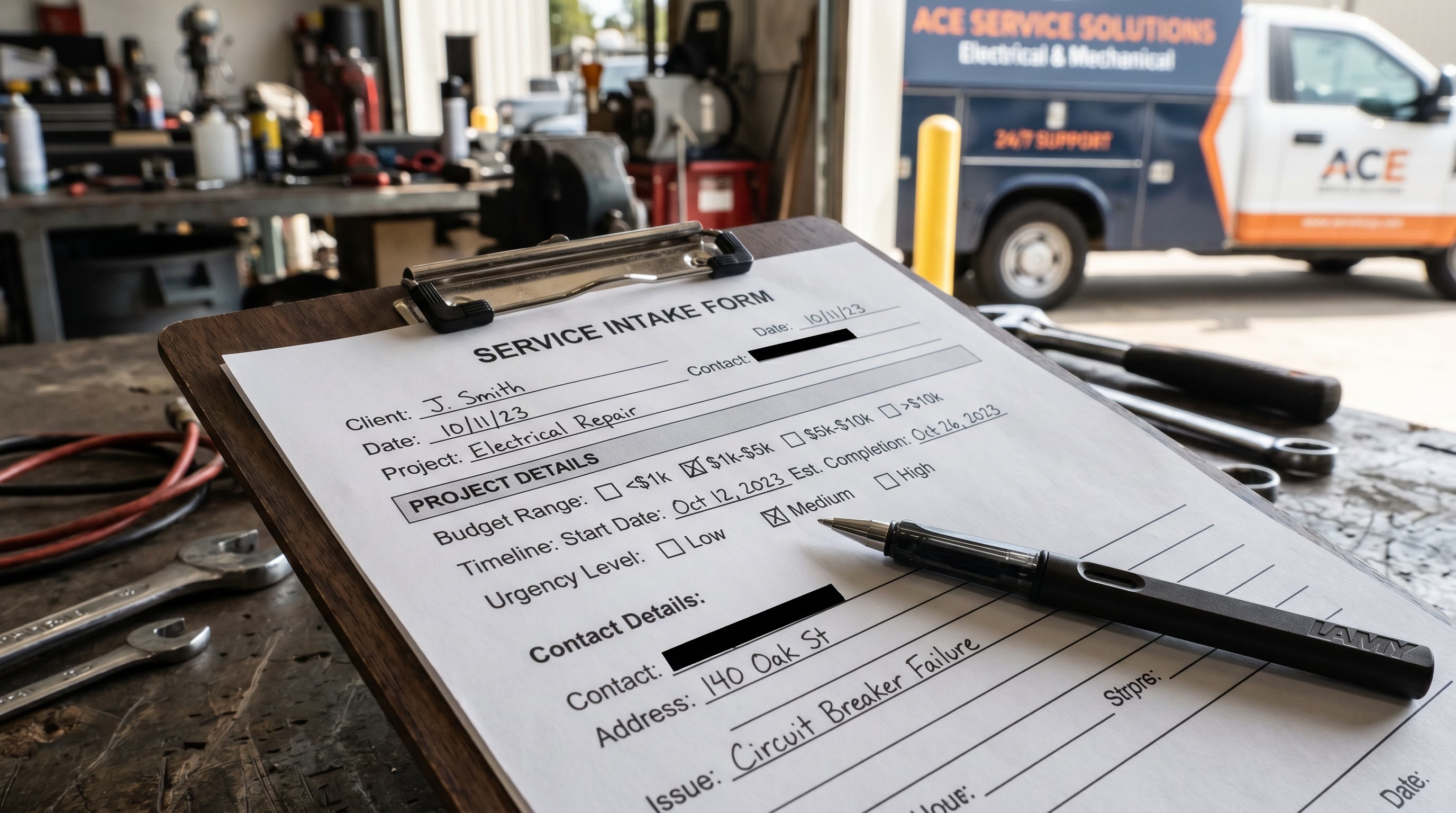
Your intake form is broken. Most service businesses ask three questions: name, email, problem. That's not data. That's a placeholder. Zero-party data tells you budget, timeline, and intent before you deploy resources. The result: higher show rates, shorter sales cycles, and revenue that scales with process, not luck.
Your Intake Form Is Your Casualty Drill Checklist
On a submarine, every casualty drill starts the same way. A checklist. Not a conversation. Not instinct. A checklist that captures the exact state of every system before you deploy countermeasures.
Your intake form is that checklist. It tells you the state of the prospect before you spend money to reach them. Most service businesses skip this step. They assume all leads are equal. They deploy the same sales play to a homeowner with a $2,000 budget and one with $15,000.
That's operational chaos. It kills margins. It burns out sales teams. It leaves revenue on the table.
Zero-Party Data: The Definition
Zero-party data is information your prospect gives you intentionally. Not tracked. Not inferred. Given. Budget range. Timeline. Previous vendor experience. Decision authority. Communication preference. Urgency level.
This is not tracking pixels. This is explicit, consent-first intelligence that lets you segment before you engage.
Research from McKinsey shows 71% of consumers expect personalized interactions. But personalization requires data. Most service businesses collect nothing but names and phone numbers.
The BCG 2025 Personalization Index found personalization leaders see 10 percentage points higher CAGR than peers. That's not a margin gain. That's a multiplier on growth.
The Four-Element Upgrade
1. Add Qualifying Questions
You need signal. Ask it directly.
- Budget range (pre-set buckets, not free text)
- Timeline (this week, this month, this quarter)
- Previous vendor (yes/no, how long)
- Decision authority (I decide, I influence, I report to someone)
- Service scope (single issue, full assessment, ongoing)
These are not relationship questions. They are triage signals. They tell you which prospects need fast response and which can move through a lower-touch sequence.
2. Add Preference Capture
How do they want to hear from you? Phone, text, email. How fast? Same day, within 24 hours, within 48. Time zone. Language. Existing customer or new prospect.
This is operational input. It maps to your follow-up infrastructure. If someone says "text only," you don't call. You text. In minutes. Preference compliance drives response rates and conversion rates.
3. Add Intent Signals
- Urgency level (emergency, soon, planning)
- Comparison shopping status (comparing vendors, no, unsure)
- How they found you (referral, search, ad, social, directory)
- Problem severity (critical, moderate, minor)
These signals tell you where the prospect is in their decision journey. Someone in "comparing vendors" mode needs different messaging than someone who is "planning." A referral prospect needs faster response than a cold lead from search.
4. Automate Segmentation and Trigger Sequences
Collect the data in Typeform, Jotform, or GHL. Connect via Zapier to your CRM. Build rules: if budget > $5,000 AND timeline is "this week," route to sales. If urgency is "planning" and it's a comparison, route to educational sequence first.
Speed matters. Automate the handoff. Deploy personalized sequences within 5 minutes. Not tomorrow. Five minutes.
The Math
You're a landscaping company. 50 leads per month. Close rate: 20%. That's 10 customers at $3,000 average = $30,000 revenue.
Your sales team spends 15 minutes per lead. That's 750 minutes (12.5 hours) per month to close 10 deals.
Now add zero-party data. Segment by budget. Route $5,000+ projects to your top closer. Route $1,500 projects to text-only follow-up with pre-built quotes. Route "planning" prospects to a monthly educational sequence.
Same 50 leads. Your closer spends time only on high-value deals. Your close rate climbs to 25%. Revenue: $37,500.
You didn't hire. You didn't advertise more. You systematized intake. $90,000 per year from a form upgrade.
How to Build It
- Audit your current intake. What do you ask? What do you ignore?
- Add five questions max. Budget. Timeline. Decision authority. Communication preference. Referral source.
- Pick your tool. Typeform is cleanest. Jotform is cheapest. GHL integrates CRM + forms.
- Connect to your CRM with Zapier. Set conditional logic.
- Build three follow-up sequences. High-value/high-urgency. Medium/exploring. Low-urgency/planning.
- Deploy and measure. Track show rates. Track close rates by segment.
Total setup time: 4-6 hours. Total monthly cost: $50-200. Payback: one extra customer per month in most service verticals.
Doctrine Connection: Systems Beat Slogans
Every service business says "we provide great customer service." That's a slogan. A system is an intake form that captures budget, routes to the right closer, and deploys a personalized follow-up within 5 minutes.
Slogans don't close deals. Systems do. Your intake form is the first system in the chain.
FAQ
Q: Won't long intake forms kill conversion?
Not if they're conditional. Typeform and GHL let you show only relevant questions based on answers. A new prospect gets 6 questions. An existing customer gets 2. Conversion on well-designed forms is 60-75% even with 8-10 questions.
Q: What if prospects won't give budget information?
Make it optional or use ranges. "Under $2,500 / $2,500-5,000 / $5,000-10,000 / $10,000+" is easier than freeform. Explain the "why." Most will give you something.
Q: How fast do we need to follow up?
Same-day is table stakes. Emergency: within 2 hours. Planning: within 24 hours. Automate the routing so your team doesn't have to remember.
Q: Which tool should we use?
If you're already in HubSpot or Salesforce, use their native form. Otherwise, Typeform for UX. Jotform for budget. GHL for CRM + forms combined.
Q: How do we measure if this works?
Track two numbers month-over-month: show rate (percent of leads that show for appointments) and close rate by segment. If show rate climbs from 60% to 70% and close rate from 18% to 25%, the system works.