
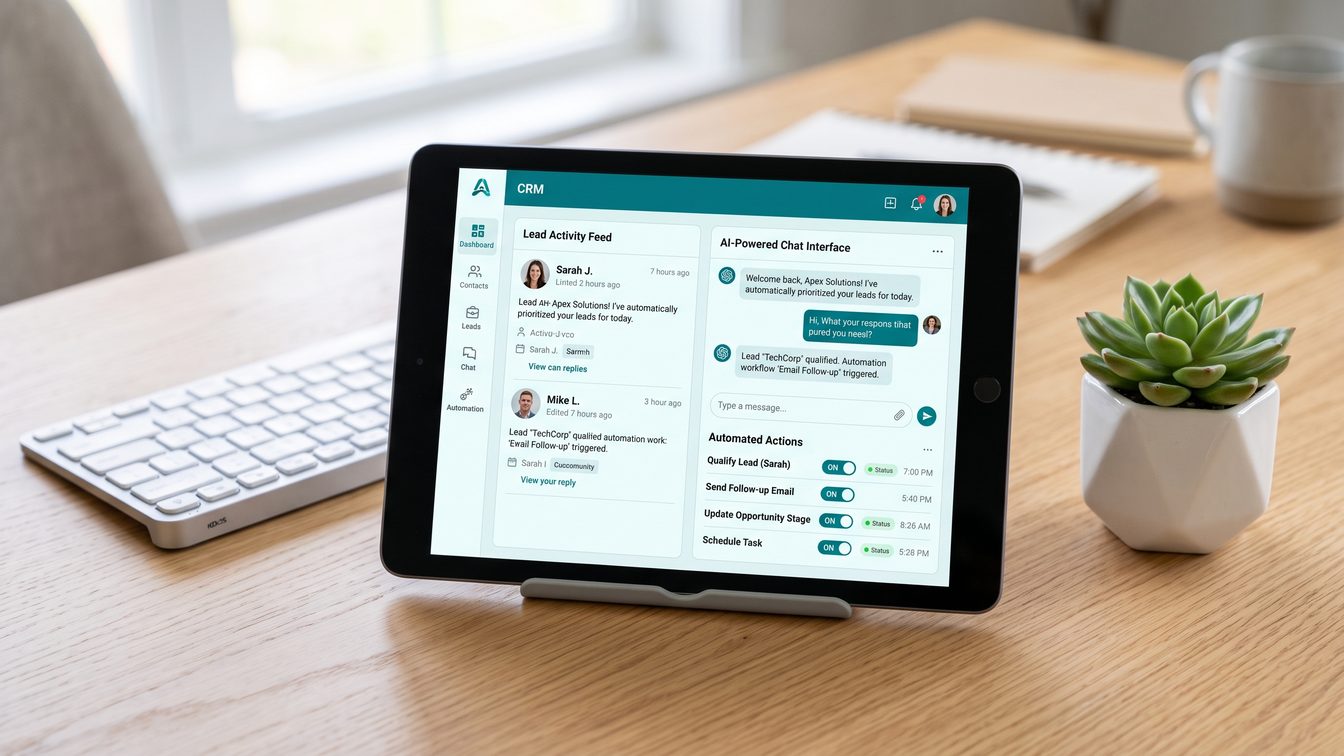
TL;DR: GHL just gave away 5 AI tools free through August 31, 2026. Three are worth activating today. Two are demo-ware. Here's the verdict.
GoHighLevel's Summer of AI 2026 promotion runs June 1 through August 31 and hands every paid sub-account free access to five AI tools: Ask AI, AI Studio, Workflow AI, Funnel AI, and Email AI. No activation required, no credit card gymnastics, no fine print you need a lawyer to read. On top of that, HighLevel is throwing in a 30-day free trial of Conversation AI, Voice AI, Reviews AI, Content AI, and a Prompt Optimizer for any sub-account that hasn't turned those on yet. Stack an extra 30 days if you convert to an AI Growth ($50/month) or AI Unlimited ($97/month) plan afterward, and you're looking at up to 60 days of the heavier tools at no cost.
I run DEMG. I've built $15K GoHighLevel systems for clients who needed the platform to actually carry their business, not just look impressive in a sales demo. When a vendor gives away this much AI for free, my first question isn't "what's the catch." It's "what does this tell me about where they think the real value sits." Free pricing is a confession. GHL just told us which tools they believe create lock-in and which ones they're using as bait.
Here's the tool-by-tool verdict.
The Verdict, Tool by Tool
| Tool | What It Does | Verdict | Normal Price | |---|---|---|---| | Workflow AI | Builds automations from plain-language prompts, adds AI decision steps to workflows | Activate | Included on paid plans, premium actions at $0.01/execution | | Ask AI | In-app assistant that answers platform questions and helps with setup | Activate | Included for agency admins, $97/month AI Employee plan for sub-account users | | Conversation AI | Auto-replies to SMS, chat, Facebook, and Instagram leads | Activate (with guardrails) | $50 to $97/month per location, or token-based pay-per-use | | Funnel AI | Generates funnel and landing pages from a text description | Watch | Included on paid plans | | Content AI | Writes email, SMS, and social copy from prompts | Skip for now | $0.063/image, $0.0945 per 1,000 words, or included in AI Employee plans |
Workflow AI: Activate
Workflow AI lets you describe an automation in plain English and it scaffolds the workflow for you, then decision-node actions like intent detection and lead scoring can run inside that workflow. This is the one that actually touches revenue. A workflow is infrastructure. Once it's built and tested, it runs the same way at 2am on a Tuesday as it does at 2pm on a Saturday. That consistency is the entire point of automation, and Workflow AI cuts the build time from hours to minutes.
The free tier covers the builder and basic content generation. Premium actions like Decision Maker, Intent Detection, and Summarize Text run at $0.01 per execution, which is close to free at any volume a $500K to $5M business will hit. Activate this one immediately. There is no reason to wait.
Ask AI: Activate
Ask AI is the in-platform assistant that answers "how do I set up X" and "why isn't Y working" questions without you leaving the app. It's free for agency admins and agency-level users already, and it's rolling out to sub-account users under the summer promotion. This tool will not move your revenue needle directly. What it does is cut the hours your team burns searching GHL's help docs or waiting on a support ticket. For an owner-operator running lean, that's real time back. Low risk, immediate use. Activate it.
Conversation AI: Activate, With Guardrails
This is the one with the most upside and the most horror stories. Conversation AI auto-replies to inbound SMS and chat leads. Practitioner testing across a dozen sub-accounts over four months found booking rates of 65 to 72 percent on simple service inquiries like HVAC tune-ups or basic consultations. On high-ticket inquiries over $15K, the booking rate dropped to 31 percent, and one operator reported the AI confidently confirming a roofing service the business didn't actually offer. That mistake cost a manual recovery call and a $200 gift card to fix.
The fix isn't complicated. Run it in Suggestive mode for two to four weeks before flipping to Auto. Build a prompt that lists what you offer and explicitly what you don't. Set a human handoff trigger for the words "price," "emergency," and "complaint." Do that, and Conversation AI becomes a genuine front-line filter. Skip that setup work and it becomes a liability with your name on the invoice.
Funnel AI: Watch
Funnel AI takes a description of your offer and audience and generates a full page structure, headline, body copy, and calls to action. It genuinely compresses what used to take an hour of blank-page staring into under a minute. But every review, including GHL's own documentation, says the same thing: this is a strong starting point, not a finished page. Image placeholders need real photos. Testimonials need to be real. Copy needs a pass for brand voice and accuracy. One reviewer testing the AI builder in beta found it let you pick industry, goal, and tone but gave zero control over design, layout, or color palette, so the output required manual cleanup to look professional.
That's not nothing. It's just not the finished product the marketing implies. Use it to kill blank-page paralysis on new funnels. Don't publish what it hands you without a real edit pass. Watch this one as it matures.
Content AI: Skip For Now
Content AI writes your email subject lines, body copy, SMS, and social posts from a prompt. This is the closest thing to wallpaper in the free five. Multiple independent reviews describe the same failure mode: generic output that doesn't sound like your brand, requiring a feedback-training loop of thumbs up and thumbs down ratings across weeks before quality improves. One agency review put the payback period at six to eight weeks of consistent rating just to reach baseline editing time, before you're even ahead.
If you already have a copywriter or a documented brand voice guide, Content AI can accelerate first drafts. If you don't, you'll spend more time rating and correcting than you'd spend writing from scratch. For most $500K to $5M operators without a dedicated content function, skip it during the free window.
What the Free Pricing Signals
Look at which tools GHL made permanently free versus which ones stay locked behind the $50 to $97 per month AI Employee plans. Workflow AI, Funnel AI, Ask AI, and Email AI are free. They always have been, or they're becoming permanently free. Conversation AI, Voice AI, Reviews AI, and Content AI are only free for 30 days, then they revert to paid tiers or token-based billing.
That split tells you exactly where GHL believes its moat is. The free tools are the ones that make the platform stickier without directly automating a human function. They increase usage and reduce churn. The paid tools are the ones that replace labor. A receptionist, a copywriter, a review manager. Those are the tools GHL is betting businesses will pay to keep once they've felt the labor savings for 30 days.
This is the same playbook every SaaS platform running an AI land grab is running right now. Give away the infrastructure tools because they build habit and lock-in. Charge for the labor-replacement tools because that's where the actual willingness to pay lives. HubSpot's Breeze AI follows a similar split, with core AI features bundled into paid seats starting at $15 to $90 per seat monthly, while Salesforce's Agentforce keeps its full AI suite behind enterprise pricing north of $500 per seat monthly. GHL undercuts both by bundling its labor-replacement AI into a flat $97 per month per location instead of per seat, which matters if you're an owner-operator with three employees, not thirty.
The free promotion isn't generosity. It's a 60-day trial designed to get you dependent on Conversation AI and Voice AI before the invoice shows up. That's a fair trade if the tools actually work for your business. It's an expensive lesson if you didn't set them up correctly first.
The 15-Minute Activation Checklist
For the three tools worth activating, here's the fast path.
- Turn on Workflow AI in your Automations settings. No configuration required to start using the builder.
- Enable Ask AI for your agency admin account if it isn't already on. Check sub-account rollout status since HighLevel expanded this through Q2 2026.
- Before touching Conversation AI, write your exclusion list first. What do you NOT offer. This takes ten minutes and prevents the confident-wrong-answer problem entirely.
- Set Conversation AI to Suggestive mode, not Auto. Do not skip this step.
- Add a human handoff trigger keyed to "price," "emergency," "complaint," and any word specific to your regulated or high-ticket services.
- Add 10 to 15 FAQ pairs covering your most common inbound questions.
- Calendar a review for day 20 of the trial to check response accuracy before deciding whether to pay for Conversation AI post-trial.
- Skip Funnel AI and Content AI activation for now unless you already have a content owner ready to edit their output.
That's the whole list. None of it requires a developer or an agency partner. It requires fifteen minutes with intent instead of clicking "enable all" and hoping.
I've built $15K GoHighLevel systems for clients at DEMG. I know which features actually move revenue and which ones just look good in a demo. The AI Employee is a genuine engine room addition. Properly configured, Conversation AI changes your first-response time and your after-hours capture rate in ways you can measure in the CRM within a month. The content generator is wallpaper. It looks like productivity in a screen recording and creates more editing work than it saves until you've trained it for weeks.
The Sovereignty Stack
Every tool decision an operator makes should run through one question. Does this make my business more independent, or does it make me more dependent on a platform, a vendor, or a single person who knows how it works. That's the Sovereignty Stack, the framework I use with clients to evaluate marketing infrastructure. A tool earns a spot in the stack when it's documented, transferable, and still functions the day you sell the business or the day the person who set it up leaves.
Workflow AI and Ask AI pass that test easily. They're infrastructure any future employee or buyer can pick up. Conversation AI passes if, and only if, you document the prompt, the exclusion list, and the handoff rules somewhere outside your own head. Content AI and Funnel AI, in their current state, create a different risk. Dependency on you personally rating outputs for weeks to get usable results. That's not sovereignty. That's a part-time job disguised as automation.
Doctrine Connection: Responsibility Beats Excuses
Free AI is not an excuse to skip the setup work. "GHL gave it to us for free, we turned it on, and it said something wrong to a customer" is not a defense. It's an admission that nobody took responsibility for configuring a tool that talks to your customers on your behalf. The businesses getting real ROI out of this promotion aren't the ones who clicked every "activate" button on June 1. They're the ones who spent the fifteen minutes building the exclusion list and the handoff triggers before the AI ever touched a live lead. Free tools still require owned outcomes. That's the whole doctrine in one sentence.
FAQ
Does the Summer of AI promotion require a new HighLevel account? No. It applies to any paid HighLevel sub-account, monthly or annual. Free trial accounts need to convert to a paid plan first to activate the offer, but existing paid customers get it automatically for the five always-free tools.
What happens to Conversation AI and Voice AI after the 30-day trial ends? Billing reverts to standard rates, either the $50/month AI Growth plan, the $97/month AI Employee Unlimited plan, or pay-per-use token pricing, depending on what you select before the trial closes. If you enroll in a paid AI plan right as the trial ends, GHL extends an additional 30 days free.
Is Workflow AI actually free forever or just during the summer promotion? The core Workflow AI builder and standard content generation have been free on all paid plans before this promotion and remain so. What's billed separately are Premium Workflow AI actions like Decision Maker and Intent Detection, at $0.01 per execution, which existed before Summer of AI and aren't part of the temporary giveaway.
How does GHL's AI pricing compare to HubSpot or Salesforce for a small operator? GHL bundles its labor-replacement AI Employee suite into a flat $97/month per location. HubSpot's Breeze AI starts around $15 to $90 per seat monthly depending on tier. Salesforce's Agentforce suite runs $500 or more per seat monthly at the enterprise tier. For an owner-operator with a handful of employees and one or two locations, GHL's flat per-location model is generally the cheaper path to comparable AI functionality.
Should I activate all five free tools on day one just because they're free? No. Activate Workflow AI and Ask AI immediately since there's no downside. Hold off on Conversation AI until you've built your exclusion list and handoff rules. Treat Funnel AI and Content AI as optional accelerators you test only if you have someone available to edit the output before it reaches a customer.
*Disclosure: DEMG may earn a commission if you sign up for GoHighLevel through links on this site. That doesn't change the verdict above. We call tools as we see them, whether we get paid on the referral or not.*