
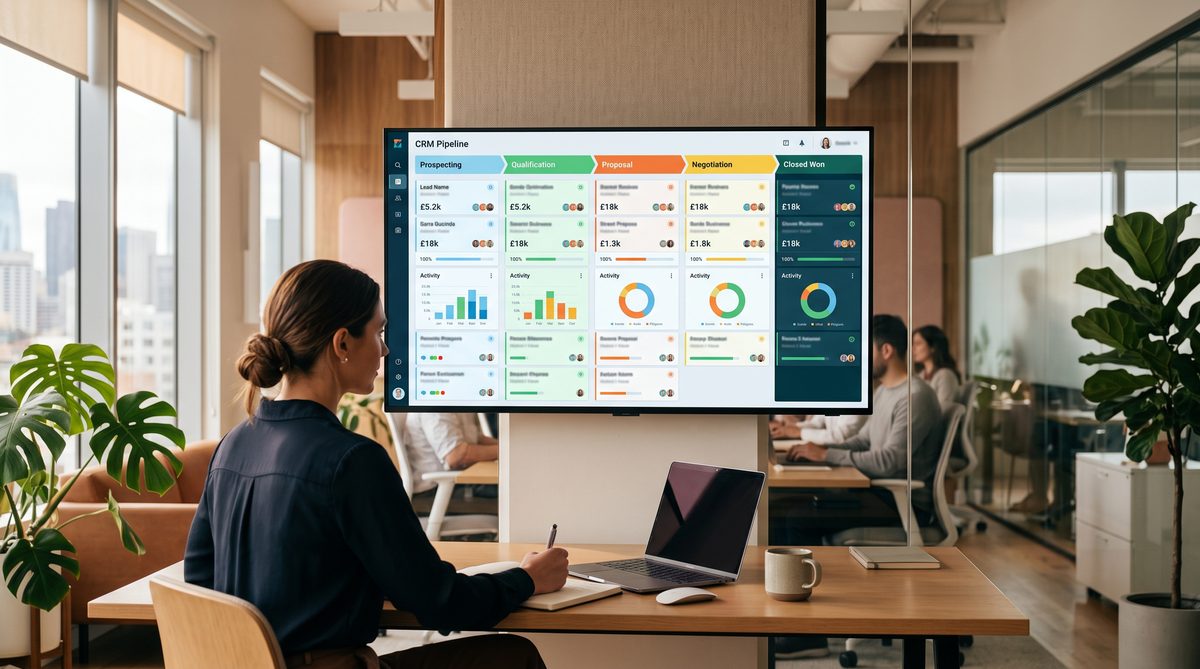
Stop Using GoHighLevel Like a To-Do List
Most service business owners use GoHighLevel the wrong way. They buy the software, drag a few pipeline cards around, and call it a CRM. Then they wonder why leads still fall through the cracks and why they are personally following up with every prospect at 9 PM on a Thursday.
That is not a pipeline. That is a to-do list with a subscription fee.
A real pipeline is a machine. It has stages, triggers, and rules. When a lead enters Stage 1, the system decides what happens next. No human required. No sticky note. No "I will follow up Monday."
I have built these systems inside GoHighLevel for clients at DEMG. I have watched the same shift happen every time: the owner stops being the engine room and starts being the captain. That is the difference between a tool you own and a tool that owns you.
Here are the 7 stages. Build them in this order. Do not skip steps.
Stage 1: New Lead
Trigger: Form submission, ad click, or inbound SMS.
The lead enters your pipeline the moment they raise their hand. That means your GHL pipeline is connected directly to every lead source. Your website forms, your Facebook ads, your Google ads, your landing pages. When the form fires, a contact record is created automatically and dropped into Stage 1. No one on your team touches anything.
This is where most businesses leak. The lead fills out the form and goes into a spreadsheet. Or an email. Or nowhere. You check it two days later and the prospect already hired someone else.
The fix is structural. GoHighLevel connects your funnels, automations, SMS, email, and calendar into one system. When a lead fills a form, it auto-appears in the CRM at the correct stage. That is the starting line.
What you build here: One intake form per lead source. One automation that creates the contact and assigns the pipeline stage. Tag the lead source so you know where your best clients come from.
Stage 2: Contacted
Trigger: Lead enters Stage 1, system fires within 60 seconds.
Speed wins. A Harvard Business Review study found that responding to a lead within the first hour makes you 7 times more likely to qualify that lead than if you wait even one more hour. Most service businesses respond in 47 minutes. That gap is where your competitors live.
Stage 2 is automatic. The moment a lead hits Stage 1, the workflow fires an SMS and an email. The SMS is personal in tone. It uses the lead's first name. It references what they submitted. It asks one question. The email backs it up with more context and a calendar link.
You wrote these messages once. The system sends them forever.
What you build here: A multi-step workflow with an SMS step at 0 minutes and an email step at 5 minutes. Set a follow-up sequence for non-responders: Day 1, Day 3, Day 7. The sequence stops the moment they reply.
Stage 3: Qualified
Trigger: Reply received and budget confirmed.
This is the first stage that requires a human judgment call. But only one. When the prospect replies, a team member reviews the response. Budget confirmed, timeline reasonable, fit looks good? Move the card to Stage 3. That card move triggers the next automation.
You are not writing a new email. You are making a binary decision: qualified or not. That is a 10-second action. Everything else the system handles.
If the lead is not qualified, move them to a disqualified bucket and a nurture sequence activates. They get a monthly touchpoint. Some of those people become clients 6 months later. You did not have to remember them. The system did.
What you build here: A simple internal notification when a reply comes in. A qualification checklist your team uses. A pipeline rule that fires the Stage 4 automation the moment the card moves.
Stage 4: Appointment Booked
Trigger: Card moves to Stage 3, system sends calendar link automatically.
Between Stage 3 and Stage 4, no human sends anything manually. The workflow fires the calendar booking link the moment the lead is marked qualified. The prospect picks a time. The calendar integration creates the appointment in your calendar and theirs, sends a confirmation, and schedules two reminders. One 24 hours out and one 1 hour out.
The meeting exists. The reminders exist. The prospect knows what to do. You did nothing except be available to take the call.
Show rates increase when reminders are automated and specific. "Your call with Jeff is tomorrow at 2 PM EST. Here is the Zoom link." That beats a generic "appointment reminder" every time.
What you build here: GHL native calendar integration. Confirmation email and SMS. Two-reminder sequence. A pre-call intake form that collects what you need to run a good discovery call.
Stage 5: Proposal Sent
Trigger: Discovery call completed, proposal auto-generated from pipeline data.
This is where most service businesses slow down. The call goes well. The prospect is ready. Then the owner spends 3 hours building a custom proposal in Google Docs and sends it two days later. Momentum is dead.
Stage 5 fixes that. When the call is logged as completed and the card moves, the system pulls the data already in the contact record. Service type, budget range, timeline, scope notes. It generates a proposal template. You review it in 10 minutes. You approve it. The system sends it.
This is the procedure, not the creative work. The creative work is the offer itself, which you designed once. Everything after that is execution.
What you build here: A proposal template connected to contact field data. An approval step for you or a team lead. An automated follow-up sequence that triggers if the proposal is unopened after 48 hours.
Stage 6: Closed Won
Trigger: Proposal accepted, payment processed, onboarding workflow fires.
This is the moment the asset starts compounding. The prospect signs and pays. The Stage 6 automation fires immediately. An onboarding workflow launches. The client receives a welcome email with next steps. An internal notification goes to your delivery team with the client details and scope. A task is created in your project management tool.
Nothing falls through. No one forgets to introduce the new client to the team. No one scrambles to send the intake form because "we forgot to do it before they paid."
The handoff is clean because the system was built to make it clean. That is the doctrine: systems beat slogans. "We pride ourselves on communication" is a slogan. An automated onboarding trigger is a system.
What you build here: Payment integration inside GHL or connected via Stripe. A triggered onboarding workflow. Internal Slack or email notification to delivery team. Automatic task creation.
Stage 7: Onboarding Complete
Trigger: Onboarding milestone hit, handoff confirmed, review request fires.
Stage 7 closes the loop and opens the next one. When the client completes onboarding, the card moves. The system sends a review request to Google or wherever you collect reviews. It schedules a 30-day check-in. It tags the client as an active account and moves them into your retention workflow.
The review request fires at the right moment: right after the client has received value but before the novelty wears off. This is not an accident. This is the procedure.
Referrals and reviews are acquirable assets. Most service businesses leave them on the table because they forget to ask or ask at the wrong time. The system asks at the right time, every time.
What you build here: A milestone trigger tied to a defined onboarding completion event. An automated review request with a direct link. A 30-day check-in workflow. A client success tag.
The Rule Across All 7 Stages
No manual steps between Stage 1 and Stage 4. That is the rule. From the moment a lead submits a form to the moment an appointment is confirmed, no human should be required to do anything. If your system requires a human to move a lead from New Lead to Appointment Booked, you do not have a pipeline. You have a checklist.
Specialists who build GHL systems correctly will tell you the same thing: if your goal is a system built correctly from day one and handed back working, you need someone who has built this before. The manual matters. The procedure matters.
I built these 7 stages at DEMG because I watched too many clients come to us with $200/month GHL subscriptions they were not using. The tool was fine. The architecture was missing. Once the architecture was in place, the pipeline ran. Leads moved. Calls got booked. Revenue came in. The owner stopped being the bottleneck.
That is the ATLAS Model for Growth applied to a CRM. Not hustle. Not more hires. A pipeline with rules.
Doctrine Connection: Systems beat slogans. Build the procedure. Execute the procedure. Let the system do the watchstanding.
FAQ
Q: Do I need a developer to build this pipeline in GHL?
No. GHL is built for non-technical users. But the architecture decisions require experience. You can click the buttons yourself. Knowing which buttons to click in which order is a different skill.
Q: What if I have leads coming from multiple sources?
Build one intake workflow per source. Map each source to the same Stage 1 pipeline entry point. Tag the source on the contact record. This gives you clean attribution data so you know which channels produce clients, not just leads.
Q: How long does it take to build a 7-stage pipeline like this?
A focused build takes 2 to 4 days for someone who knows GHL well. If you are learning as you go, budget 2 to 3 weeks. The time investment pays back quickly. A single recovered lead more than covers the build cost in most service businesses.
Q: Can I run this pipeline with a solo operation, no team?
Yes. That is the point. Stages 1 through 4 require zero team members. Stages 5 through 7 require a human decision at the proposal approval step and the onboarding milestone confirmation. Everything else is automated. A solo operator running this pipeline can handle 3 to 5 times the lead volume without additional headcount.
Q: What happens to leads who never book a call?
They do not disappear. They move into a long-term nurture sequence. Monthly touchpoints. Seasonal offers. When their situation changes, your name is the first one they remember. Some of my best case studies are clients who first contacted a business 9 months before they bought.