Your phone line is a watch station. Every missed call is a casualty you could have prevented. Home service businesses miss 60-80% of inbound calls during peak hours, and every one of those calls represents $200 to $2,000 in lost revenue. AI phone systems — not voicemail, not an answering service, but conversational AI that checks technician availability, answers questions, and books appointments — now cost less than one part-time receptionist. This is not a technology experiment. It is a revenue recovery operation.
The Watch Station Principle
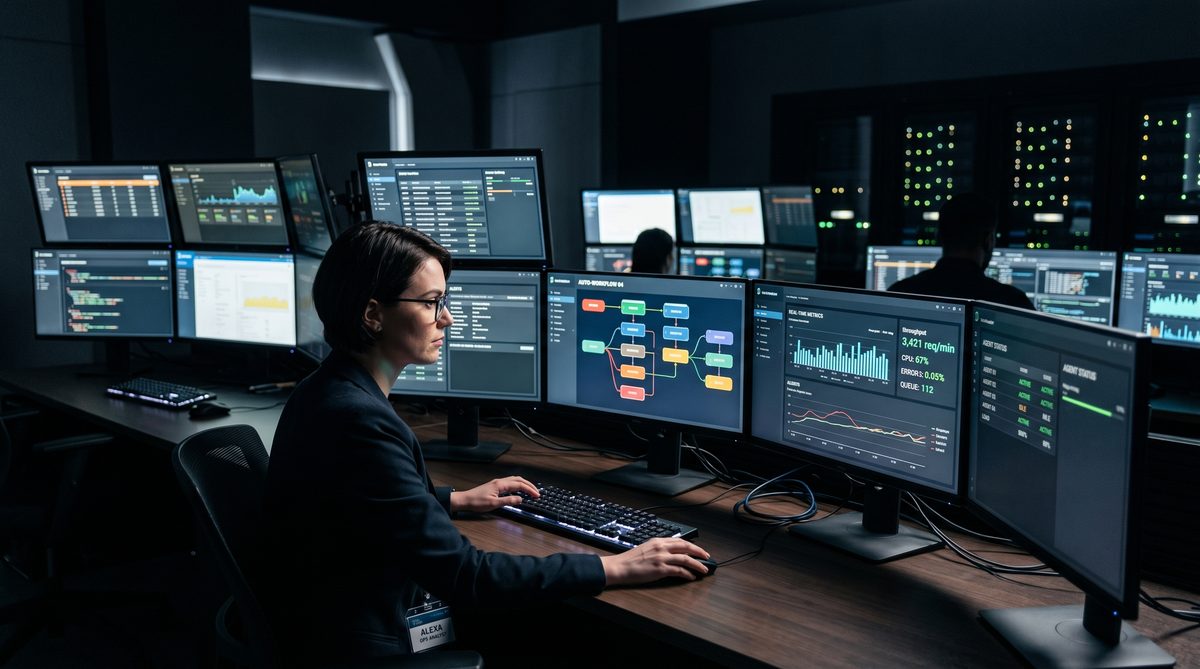
In the Navy, you do not leave a watch station unmanned. Ever. On the USS Jefferson City, I stood nuclear power plant watches where the consequences of an unmanned post were not theoretical — they were immediate, irreversible, and potentially catastrophic. The doctrine is absolute: someone is always on watch. The machine does not care what time it is, who called in sick, or whether the duty section is shorthanded. The watch gets stood.
Most service business owners would never leave a job site unmanned mid-repair. They would never leave a truck unattended on a customer’s property. But they leave their phone line unmanned for eight, twelve, sometimes sixteen hours a day — and then wonder why marketing spend is not converting.
A ServiceTitan analysis found that 18% of home service calls go unanswered on weekdays and 41% go unanswered on weekends. For small-to-medium-sized businesses specifically, that number jumps to 62% of calls going unanswered. That is not a staffing problem. That is a system problem. And system problems have system solutions.
What the Numbers Actually Mean
Before you build the case for AI, you need to understand what the missed call problem costs in real dollars.
Industry data from Invoca and Contractor in Charge shows that unanswered calls cost small service businesses an average of $126,000 per year in lost revenue and wasted marketing spend. Each missed call represents roughly $1,200 in lost sales — and that is an average. In HVAC, a missed emergency call can represent $3,500 or more when replacement equipment is involved.
Here is the compounding problem: 85% of callers will not try again if you do not answer the first time. They call your competitor. You paid for the Google Ad that generated that call, you paid for the SEO that put you at the top of the local results, and then you let the call ring out. That is not just lost revenue — that is wasted marketing ROI stacked on top of lost revenue.
ServiceTitan’s own data shows the average shop books just 42% of inbound calls into jobs. Their analysis also found that every 5% improvement in call booking rate for a smaller operation translates to approximately $100,000 in additional revenue annually. That is not a rounding error. That is a business-changing number sitting in a problem most owners are ignoring.
The 90-Day Bottleneck Audit
The 90-Day Bottleneck Audit is the framework I use when a service business owner tells me they have a marketing problem. Nine times out of ten, they do not have a marketing problem. They have a conversion problem disguised as a marketing problem. The calls are coming in. The calls are not being answered, or not being answered well, or not being converted. The audit runs in three phases.
Days 1-30: Measure the bleed. Track every inbound call for 30 days. Log answered versus unanswered, time of day, day of week, call source, and outcome. Most owners have never done this. The data is usually worse than they expected.
Days 31-60: Identify the bottleneck. The data will show you exactly where calls are falling through. After-hours is the most common failure point. Lunch breaks are the second. Busy signal scenarios — when the one person who answers calls is already on the phone — are the third.
Days 61-90: Eliminate the bottleneck with a system. This is where an AI phone system enters the equation. You are not experimenting with technology. You are plugging a specific, quantified revenue leak with a specific, affordable tool.
The 90-Day Bottleneck Audit is not glamorous. It is not a sales funnel optimization or a brand repositioning. It is the operational equivalent of patching a hull breach. You find the leak, you measure the water coming in, and you fix it. The system beats the slogan every time.
How AI Phone Systems Actually Work
The term “AI phone system” covers a wide range of products, and the distinction matters. Here is what a real conversational AI phone system does — and what it does not do.
What it does:
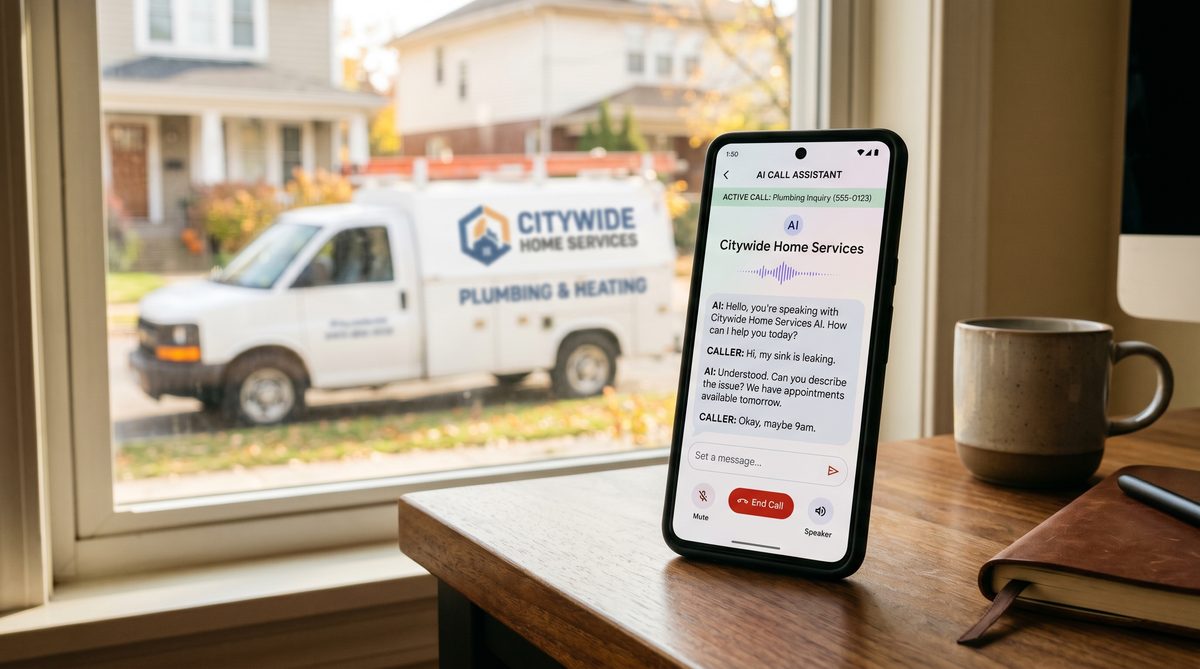
When a caller dials your number, the AI answers within one ring. It greets the caller using your company name and a voice you have configured. It asks an open-ended question — “How can I help you today?” — and processes the caller’s natural language response. It does not ask them to press a number. It listens.
If the caller needs to book an appointment, the AI checks your technician availability in real time — pulling from your scheduling software, whether that is ServiceTitan, Housecall Pro, or Google Calendar — and offers available slots. It collects the caller’s information, confirms the booking, sends a text confirmation, and logs everything in your CRM. The caller hangs up with an appointment. You get a notification.
If the caller has a question about pricing, service area, or what you fix, the AI answers from a knowledge base you build during setup. If the caller has an emergency that requires a human, the AI routes the call to your on-call technician immediately.
What it does not do:
It does not replace human judgment on complex diagnostic calls. It does not handle disputes or complaints that require empathy and authority. It does not make decisions that fall outside its defined parameters. Those calls route to humans. The AI handles the volume; your people handle the exceptions.
What to Look For When Evaluating Systems
Not every AI phone system is built for home services. Here is the checklist.
Real-time scheduling integration. The system must check actual technician availability, not just send a form to your inbox. If it cannot connect to your dispatch board and book directly into your scheduling software, it is not doing the job. ServiceTitan’s native AI Voice Agent does this. Third-party tools like Sameday and AgentZap integrate directly with ServiceTitan via API and achieve booking rates above 90%.
Natural language processing, not IVR. Interactive voice response systems — “press 1 for HVAC, press 2 for plumbing” — frustrate callers and drive abandonment. A real conversational AI responds to what callers say, not what they press.
24/7 availability with no per-minute fees. After-hours coverage is where the ROI lives. Look for flat-rate pricing that does not penalize you for call volume. AI systems that charge per minute will eat your margin as your call volume grows.
CRM and job record creation. Every call should create or update a customer record automatically. Manual data entry after a call is wasted time and an error vector. If the system cannot write to your CRM, the operational benefit is cut in half.
Emergency call routing. For trades businesses, emergencies are revenue. A burst pipe at 2 AM is not a callback situation. Your AI needs to recognize urgency signals and escalate immediately to your on-call number.
The Cost Comparison That Ends the Debate
Here is the number that ends every hesitation conversation I have with service business owners.
A full-time receptionist costs $3,750 to $5,600 per month when you factor in salary, benefits, payroll taxes, and paid time off. That receptionist works 40 hours per week. She cannot be on two calls simultaneously. She takes lunch. She calls in sick. She does not work Sundays.
A live answering service runs $400 to $1,000 per month, depending on call volume. Better coverage, but you are still paying per-minute rates that scale against you.
An AI phone system costs $49 to $499 per month for full-featured 24/7 coverage with appointment booking, CRM integration, and emergency routing. The majority of service businesses that commit to a real system land in the $99 to $249 per month range.
That is 85-95% less than a full-time receptionist. It is never sick. It does not take a lunch break. It answers a call on the first ring at 11:47 PM on a Saturday.
ServiceTitan’s own platform data tells the operational side of the story. Southern Home Services, using ServiceTitan’s Contact Center Pro, increased their call booking rate by nearly 13% year-over-year. For a business doing $10 million in revenue, ServiceTitan CEO Ara Mahdessian noted that 13% improvement translates to $1.3 million in additional annual revenue. The AI is not a cost center. It is a revenue asset.
AI Adoption Is Already Accelerating in Your Market
If you think AI phone systems are an early-adopter technology, the data says otherwise. ServiceTitan’s 2026 Commercial Specialty Contractor Industry Report, surveying over 1,000 commercial contractors, found that 38% now report measurable business impact from AI — up from just 17% one year earlier. That is more than a doubling in twelve months.
The gap between early adopters and everyone else is not just widening — it is compounding. Contractors using AI are absorbing rising wage costs (reported by 71% of contractors as a top challenge) by getting more output per dollar of overhead. They are winning bids faster. They are billing faster. And critically, they are answering calls that their competitors are missing.
The 22% of homeowners now using AI tools like ChatGPT to research and find contractors — a figure from a Scorpion national study — are more likely to be impatient when they call. They have already done their homework. They want to book. If your phone does not answer, they move to the next result.
Implementation: What the First 30 Days Look Like
This is not a six-month technology project. A properly scoped AI phone system implementation runs four to six weeks. Here is the sequence.
Week 1: Platform selection and contract. Based on your scheduling software, call volume, and trade category, select the right system. If you run ServiceTitan, evaluate Sameday, AgentZap, or ServiceTitan’s native Contact Center Pro voice agents first — the native integration reduces setup friction significantly.
Week 2: Knowledge base build. You will be asked to document your service area, services offered, pricing structure or ranges, business hours, and emergency protocols. This is the content your AI uses to answer questions. Budget four to six hours for this. It will be the most useful operational documentation exercise you have done.
Week 3: Integration and testing. Connect the AI to your scheduling software. Test call flows across every scenario: new customer booking, existing customer inquiry, pricing question, after-hours emergency. Fix anything that breaks.
Week 4: Parallel operation. Run the AI in parallel with your current call-answering process. Measure the difference. At the end of the week, you will have data showing exactly how many additional calls were answered and booked.
Go live. Cut over fully. Keep a human available for escalations during business hours. Review call recordings weekly for the first month to catch anything the knowledge base needs to cover better.
FAQ
Q: Will callers know they are talking to AI? Disclosure practices vary by platform and jurisdiction. Some systems disclose upfront; others are configured to sound indistinguishable from a live receptionist. The more important question is whether the caller gets their appointment booked and their question answered. Most callers do not care about the mechanism — they care about the result.
Q: What if the AI makes a scheduling mistake? Every system should have a confirmation step and a human-accessible calendar. Build in a same-day confirmation text or call from your office for every AI-booked appointment. This catches any scheduling errors before the technician rolls a truck.
Q: Does this work for emergency calls? Yes, if you configure it correctly. Emergency routing is a standard feature in quality systems. You define what constitutes an emergency in the setup (burst pipe, no heat in winter, gas smell), and the AI escalates those calls immediately to your on-call line. The doctrine is the same as the watch station: you define the alert threshold, the system executes it.
Q: What if I have an existing answering service under contract? Review your contract terms. Most live answering service agreements have 30-day cancellation windows. Run the AI in parallel during the overlap period, compare the booking rates, and make the transition cleanly.
Q: Can the AI handle multiple calls at once? Yes. This is one of its core advantages over a human receptionist. An AI system has no call limit. If five calls come in simultaneously at 8:02 AM on Monday morning, all five are answered on the first ring.
Doctrine Connection
Responsibility beats excuses.
The missed call problem has a clear cause, a clear cost, and a clear solution that costs less per month than your cell phone bill relative to what it returns. Saying the business is “too small” for this or that customers “prefer talking to a real person” is an excuse the data does not support. 85% of callers who do not reach you call your competitor. That competitor is your problem. The AI phone system is your responsibility.
Man the watch station. The engine room does not run on good intentions.
Sources
- Missed Call Statistics for Home Service Companies: 62% Shocking Loss — Contractor in Charge
- The Hidden Costs of Missed Calls for Home Service Business Owners — Housecall Pro
- ServiceTitan Data Report: Average Call Booking Rates
- ServiceTitan AI Voice Agent for Trades & Services Businesses
- 38% Of Contractors Use AI In 2026 — The Industry Gap Is Doubling Every Year — Marketing Code
- Virtual Receptionist Pricing: Complete Cost Breakdown for 2026 — Dialzara
- Best Virtual Receptionist for ServiceTitan — Sameday
- AI for Home Services Business: What You Need to Know in 2026 — ServiceTitan