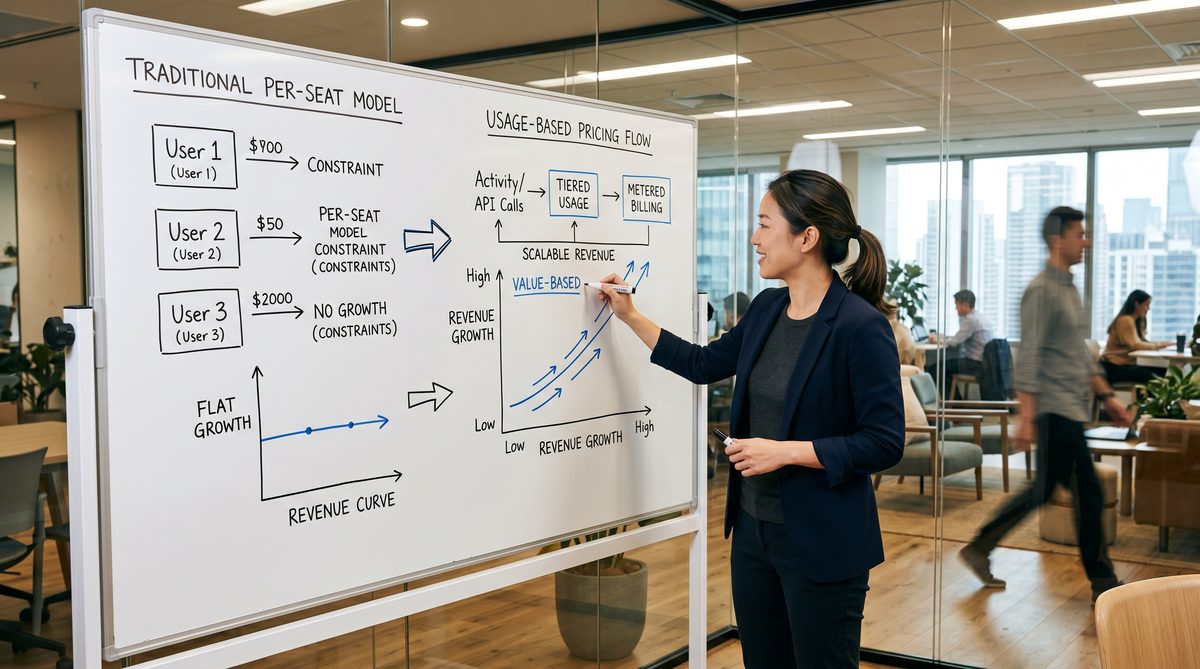
Here is the direct answer: seven AI workflows, run in sequence, will remove the operator from the most labor-intensive parts of a service business — inbound call handling, appointment scheduling, lead follow-up, review collection, internal knowledge retrieval, job documentation, and client reporting. Each workflow has a specific tool stack, a monthly cost under $300, and a deploy time under a week. Run them in order. The compound effect is what makes this a system, not a list.
Why Service Businesses Have the Most to Gain
Service businesses are labor-bound by design. Every dollar of revenue requires a human doing something: answering a call, showing up, filing a report, sending a follow-up, handling a complaint.
According to Bureau of Labor Statistics May 2024 data, the median wage for a customer service representative is $42,830 per year — and that’s before payroll taxes, benefits, turnover costs, and training cycles. A front-desk hire at a mid-sized HVAC or accounting firm costs the business $55,000–$70,000 loaded when you run the full math.
Software businesses have leverage. Ecom businesses have margin. Service businesses have labor as their core input — and that’s exactly why AI hits hardest here. You’re not automating a click. You’re automating hours.
The operators who figured this out in Q1 and Q2 of 2026 are already three bottlenecks ahead. The ones who are still running operator-dispatched workflows are handing their competitors a margin advantage every single month.
This is the premise behind The Sovereignty Stack — the operational doctrine I use with every DEMG service-business client. Before any marketing spend, before any new hire, the question is: which bottlenecks in your workflow require a human, and which ones just feel like they do? The answer, for most service businesses, is that the majority of their labor-intensive tasks fall into the second category.
Related reading: Why You Are the Bottleneck — and AI Won’t Save You Until You Fix This
The Anecdote That Makes This Real
When I was going through nuclear power plant operator training on the USS Jefferson City, we had a manual for everything. Every system. Every casualty drill. Every startup and shutdown sequence. The manual wasn’t bureaucracy — it was what kept the reactor from becoming a problem 200 feet underwater.
You know what a submarine without manuals looks like? It looks like a service business that depends entirely on the operator knowing what to do next. Every phone call that goes unanswered is a missed job. Every appointment that doesn’t get confirmed is a no-show. Every client who doesn’t get a follow-up is a referral that goes somewhere else.
A DEMG client — a plumbing and HVAC company doing $2.1M annually in the Southeast — came to us in late 2025 running exactly this way. The owner, Marcus, was on the phone 4–6 hours a day dispatching jobs, confirming appointments, and chasing down reviews. His office manager was doing the same. Two $55K salaries spent on work that should have been handled before they walked in.
We ran a 90-Day Bottleneck Audit on the business and identified seven distinct workflow categories where the human was the slowest and most expensive component. Ninety days after deployment, Marcus was off the dispatch phone entirely. His office manager had shifted to real relationship work — complex estimates, commercial accounts, escalations. Booked jobs were up 23%. Google reviews were up 41%.
The difference wasn’t magic. It was procedure. The manual, deployed properly.
Related reading: Stop Hiring Marketers. Start Building Marketing Systems.
The 7 Workflows, In Order
Order matters. Each workflow downstream is more valuable because the ones upstream are already running. This is compound advantage, not a random feature list.
Workflow 1: AI Inbound Call Handling (The Front-Office Layer)
What it does: Answers every inbound call 24/7, qualifies the lead, collects job details (name, address, issue type, urgency, preferred time), and books directly into your calendar. No voicemail. No missed calls.
According to Candibly, a home-services-focused AI receptionist platform, 38% of home service calls go unanswered during peak hours, and 80% of callers who hit voicemail don’t leave a message — they call the next name on the list.
Tool stack: - Candibly ($29–$129/mo) — AI call handling purpose-built for HVAC, plumbing, electrical. Integrates with Jobber, GoHighLevel, ServiceTitan. Custom call scripts. CRM sync on call end. - Alternatives: Rosie AI ($29/mo), Smith.ai (from $97/mo for live + AI hybrid).
Monthly cost: $129 (Gold plan, 400 minutes/mo, 3 call flows, CRM integration)
Deploy time: 3–5 days (script setup, CRM integration, test calls)
Bottleneck removed: The operator or front-desk person spending 4–6 hours daily on inbound triage
Deploy this first. Everything downstream depends on having clean, structured lead intake.
Workflow 2: Automated Appointment Confirmation and No-Show Reduction
What it does: Triggers a confirmation sequence the moment an appointment is booked — SMS + email at 48 hours, 24 hours, and 2 hours before the job. If the client doesn’t confirm within 24 hours, the system sends an internal escalation to a human.
ServiceTitan’s 2024 home-services benchmark report documented that service businesses running automated reminder cadences cut no-shows from 15–20% of appointments down to 8–10%. At a $350 average ticket, that’s a material revenue recovery.
Tool stack: - GoHighLevel ($297/mo, Unlimited plan) — native appointment booking + multi-step reminder sequences via Workflows. Integrates with every major calendar. SMS/email rebilling runs approximately $20–$80/mo extra for a typical small service business, using Twilio and Mailgun on the backend. - Build time per GoHighLevel’s community documentation: 4–6 hours for the booking and reminder sequence.
Monthly cost: ~$340 (GHL Unlimited + SMS/email rebilling)
Deploy time: 1 week (calendar setup, workflow build, testing)
Bottleneck removed: Manual appointment confirmation calls and no-show losses
This goes second because it requires the booked appointments that Workflow 1 is now generating. Without 1, there’s nothing to confirm.
Workflow 3: Speed-to-Lead SMS Follow-Up
What it does: The moment a new lead comes in from any source — web form, Facebook lead ad, Google call extension — the system fires an immediate SMS, an immediate email, and an internal team alert. If the lead doesn’t respond within 60 minutes, a second SMS goes out automatically.
GHL’s own implementation data, cross-referenced with agency reports, shows this sequence improves lead-to-appointment conversion rates by 20–35%. The math is simple: first contact within 5 minutes is 21x more likely to convert than contact after 30 minutes (Harvard Business Review, lead response research).
Tool stack: - GoHighLevel (same Unlimited plan, no additional cost) — trigger-based workflow on “Contact Created” filtered to web and ad sources only. Speed-to-lead SMS + email + internal notify + 60-min follow-up SMS. - If not using GHL: Zapier ($19.99–$49/mo, Professional plan) + Twilio for SMS routing
Monthly cost: Covered inside existing GHL plan
Deploy time: 3–5 hours (filter setup, message writing, testing across lead sources)
Bottleneck removed: The operator checking leads manually and following up hours later
This goes third because the lead intake (Workflow 1) and booking infrastructure (Workflow 2) must be live before speed-to-lead has a clean place to route.
Workflow 4: AI Scheduling and Time Defense for the Operator
What it does: Blocks and defends focus time on the operator’s calendar automatically. Rearranges meetings around task priorities. Prevents the calendar from being consumed by reactive scheduling.
This is not about convenience. Service business operators who lose calendar control spend the majority of their cognitive capacity on scheduling logistics instead of revenue-generating decisions. The research is clear: context-switching costs are real, measurable, and recoverable.
Tool stack: - Reclaim.ai ($10–$15/user/mo, Starter or Business plan) — AI calendar management for Google Calendar and Outlook. Automatically schedules focus time, habits, tasks, and meetings with buffer time. Integrates with Asana and Google Tasks. - Alternative: Motion ($19–$29/user/mo) — stronger project management integration if you’re managing field crews across projects.
Monthly cost: $10–$15/mo per operator seat
Deploy time: 1–2 hours (calendar connection, focus time preferences, habit scheduling setup)
Bottleneck removed: The operator calendar as a scheduling free-for-all
This goes fourth because it’s about protecting the operator’s attention as the other three workflows start generating volume. You need cognitive capacity to manage what’s now running.
Workflow 5: Automated Review Collection
What it does: Triggers a Google Review request 2 hours after a job is marked complete in the CRM. The message is personalized with the technician name and job type. A follow-up goes out 48 hours later if no review was submitted.
GHL implementation data shows businesses running this sequence increase their monthly Google review volume by 40–60%. At a local service business where Google ranking is the primary lead source, every additional review is compounding organic leverage.
Tool stack: - GoHighLevel (same Unlimited plan) — reputation management module + Workflow trigger on job completion. Customizable SMS and email templates. - GHL’s own community benchmark: build time of 2–3 hours.
Monthly cost: Covered inside existing GHL plan
Deploy time: 2–3 hours
Bottleneck removed: The operator or office manager manually requesting reviews and tracking who got asked
This goes fifth because the first four workflows must be generating completed jobs before there’s a meaningful review pipeline to trigger.
Workflow 6: AI Internal Knowledge Base
What it does: Converts your SOPs, pricing guides, technician manuals, service area maps, and FAQ documents into a 24/7 searchable AI that your team can query by SMS, Slack, or web widget. New technician asks “What’s the standard diagnostic fee for a heat pump?” — the answer comes back in seconds from your own documentation.
This is the submarine manual, digitized. Anthropic’s Claude and OpenAI’s GPT-5.4 mini (at $0.75 per million input tokens via the API — see OpenAI API pricing: https://openai.com/api/pricing/) power the intelligence underneath purpose-built knowledge base tools.
Tool stack: - Gurubase.io — connects to Google Drive, PDFs, Zendesk, Notion, and more. Deploys as web widget, Slack bot, or API. Cites sources on every answer. Hallucination-resistant by design. - Alternative: Notion AI ($10/user/mo add-on) for teams already living inside Notion. - Enterprise-ready: adopt.ai — setup in under a day, designed for non-technical business users.
Monthly cost: $49–$99/mo (depending on document volume and query usage)
Deploy time: 3–5 days (document upload, testing, team training)
Bottleneck removed: The operator as the human answer machine for internal operational questions
This goes sixth because you now have the documentation from running your first five workflows that’s worth encoding.
Workflow 7: AI-Assisted Job Documentation and Client Reporting
What it does: After every job, the technician records a 2-minute voice note on their phone. The AI transcribes it, extracts the structured data (what was found, what was done, materials used, time on site, follow-up recommended), and populates the job record and client-facing report automatically.
This eliminates one of the most consistent pain points in service businesses: technicians who don’t fill out paperwork, and operators who chase them down for it. OpenAI’s Whisper API handles transcription at approximately $0.006 per minute of audio (see OpenAI API pricing). A full service business running 150 jobs per month at an average 3 minutes of voice notes each costs approximately $2.70/month in transcription.
Tool stack: - OpenAI Whisper API (transcription) + GPT-5.4 mini (extraction and formatting) — API calls from within GoHighLevel’s Workflow AI steps or Zapier - Wrapped into GoHighLevel via the native ChatGPT action (which HighLevel dropped to OpenAI’s direct cost in July 2025 — see their announcement: https://www.gohighlevel.com/post/highlevel-slashes-ai-fees) - The GHL Workflow AI Builder generates the automation structure in natural language in seconds
Monthly cost: $10–$30/mo in API usage (at 150 jobs/month)
Deploy time: 1 week (voice-to-text setup, extraction prompt engineering, output template)
Bottleneck removed: Manual job documentation, technician paperwork delays, report generation
This goes last because it requires the operational rhythm of the first six workflows to be generating jobs worth documenting.
The Compound Effect: Why Order Matters
Run these randomly and you get seven disconnected features. Run them in sequence and you get a compounding system.
Workflow 1 generates clean lead intake. Workflow 2 ensures those leads convert to kept appointments. Workflow 3 catches the leads that didn’t book immediately. Workflow 4 protects the operator’s attention while all of this is happening. Workflow 5 turns completed jobs into organic lead generation. Workflow 6 removes the operator from internal operational Q&A. Workflow 7 closes the documentation loop so the business has accurate records and clients get professional reporting without anyone manually producing it.
At the end of Q3, the business that deployed these in order has: - 24/7 inbound call handling with zero headcount cost for that function - Appointment confirmation rates above 90% - Lead-to-booking rates 20–35% higher than Day 1 - A calendar that’s operator-controlled, not client-controlled - A Google review pipeline running automatically - A knowledge base that answers team questions without the operator - Job documentation that doesn’t depend on technician paperwork habits
Total monthly cost for the full stack: approximately $550–$650/mo. Compare that to a single front-desk hire at $55,000–$70,000 loaded annually ($4,583–$5,833/mo). The math runs in one direction.
Related reading: Build-to-Sell or Burn Out: The 24-Month Operator Decision
Day 1 vs. End of Q3
Day 1: Marcus is on the phone dispatching jobs and answering technician questions while his office manager chases appointment confirmations and review requests.
End of Q3: The phone answers itself. Appointments confirm themselves. Leads follow up automatically. The calendar defends itself. Reviews accumulate without asking. The team queries the knowledge base instead of the owner. Every job generates a professional record.
Marcus is in the field visiting commercial accounts and closing deals that the old version of his business never had capacity to pursue.
That is what an operator-independent workflow looks like from the inside.
Doctrine Connection
Systems beat slogans. Compound advantage beats sporadic effort.
Every service business owner I’ve talked to in the last 18 months knows they “should be using AI.” Most of them have tried one tool, run it without connecting it to anything, and concluded that the hype is overblown. It isn’t. The error is treating AI tools like features instead of building them into a system.
The Sovereignty Stack doctrine is specific: you don’t adopt technology to fix your business. You build the procedure first — the manual — and then you automate the manual. A submarine without standard operating procedures doesn’t need better technology. It needs the procedure. Then it can benefit from the technology.
The operators who compound their advantage through Q3 2026 will not be the ones who adopted the most tools. They will be the ones who built the cleanest systems.
FAQ
Q: Do I need to deploy all seven workflows at once?
No. In fact, don’t. Deploy them in the order listed, one per week if you can manage it. The first three — AI call handling, appointment confirmation, and speed-to-lead follow-up — generate the most immediate revenue recovery. Complete those before anything else.
Q: I’m an accounting firm or law practice, not a trade business. Do these apply?
Yes, with adaptation. Workflow 1 handles inbound consultation requests instead of job dispatch. Workflow 2 confirms discovery calls or filing deadlines. Workflow 5 requests referral letters or Avvo/Google reviews. The structure is identical — only the content changes. Professional service businesses carry the same labor-bound cost structure.
Q: What if I don’t have GoHighLevel?
You can replicate Workflows 2, 3, and 5 using Zapier ($49/mo Professional plan) with Twilio for SMS and Mailchimp for email. The GHL Unlimited plan at $297/mo is more cost-effective if you plan to run all three workflows, but it’s not the only path. The principle is the trigger-based automation — the tool is secondary.
Q: How long until I see ROI?
Most service businesses see positive ROI on Workflow 1 (AI call handling) and Workflow 2 (appointment confirmation) within the first 30 days. A single recovered job at $350–$700 covers the cost of the Candibly Gold plan for 2–3 months. The review pipeline (Workflow 5) typically shows measurable Google ranking improvement within 60–90 days.
Q: What does the full stack cost and is that justified?
Total monthly stack cost: $550–$650. Against a single front-desk or phone-handling hire at $55,000–$70,000 loaded annually, the math is not close. BLS data confirms customer service representatives earned a median of $42,830 in 2024 (source: https://careers.usnews.com/best-jobs/customer-service-representative/salary — data drawn from Bureau of Labor Statistics May 2024 Occupational Employment and Wage Statistics). Add benefits, payroll taxes, and turnover costs and the gap widens further. The seven-workflow stack doesn’t replace every human role — it replaces the labor-bound, repeatable, procedural functions so the humans you do have can do the work that actually requires judgment.
External Citations
-
OpenAI API Pricing — GPT-5.4 mini at $0.75/1M input tokens, Whisper transcription at $0.006/min: https://openai.com/api/pricing/
-
Bureau of Labor Statistics — Customer Service Representative Median Wage 2024 ($42,830/yr, May 2024 OEWS data): https://careers.usnews.com/best-jobs/customer-service-representative/salary
-
GoHighLevel — HighLevel Slashes AI & Automation Fees (ChatGPT action pricing at OpenAI direct cost as of July 2025; high-volume bundle pricing: 65,000 executions/mo for $50): https://www.gohighlevel.com/post/highlevel-slashes-ai-fees